Email Templates
This page of iGene displays a list of all the email templates that are stored in the system. It is possible to view the details of each template, and to edit the template.
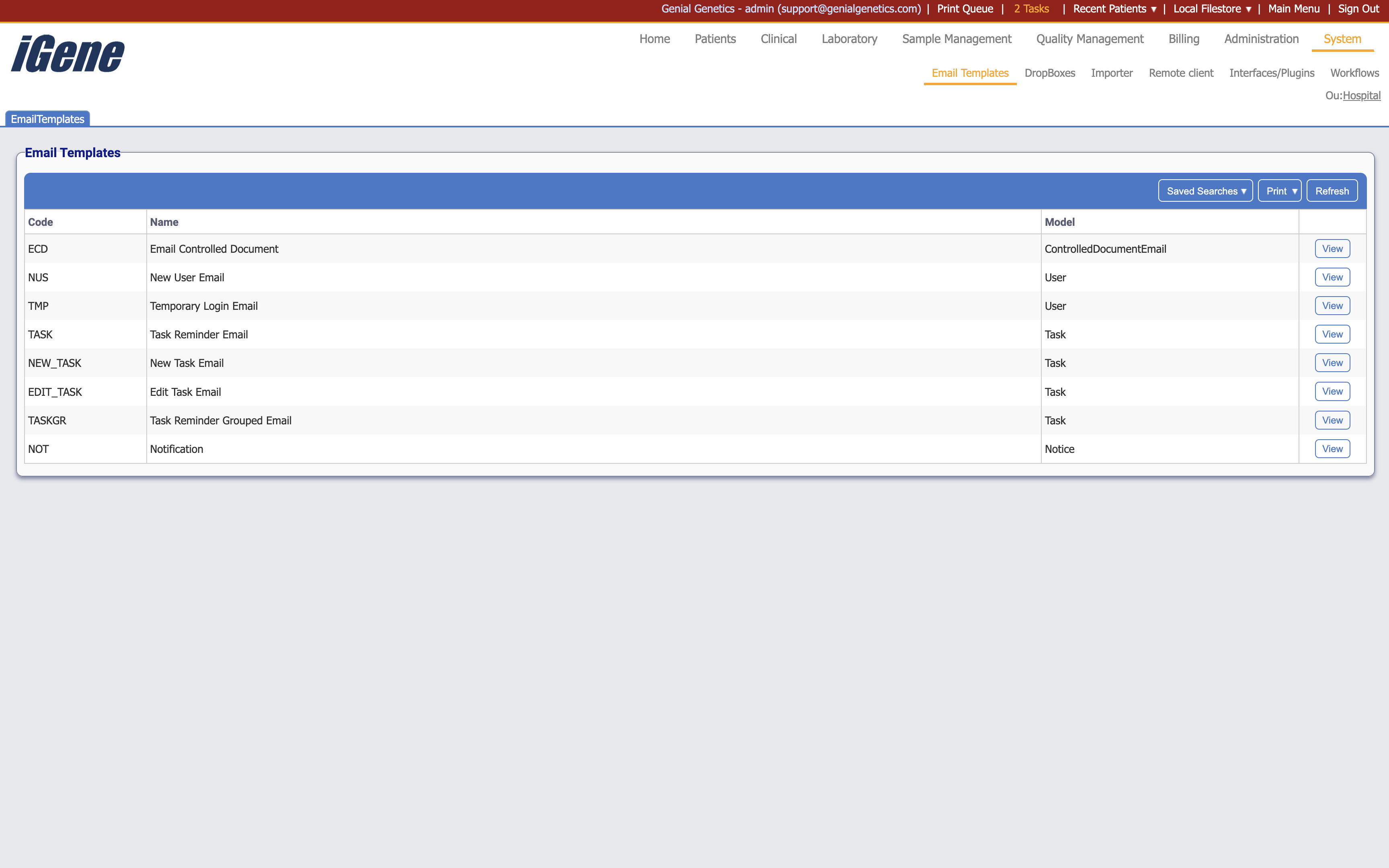
Table Columns
- Code - A unique code for the email template.
- Name - The name of the email template.
- Model - The model of the email template.
- View - A link to open a page with details of the email template. The details can be edited here.
Editing an Email Template
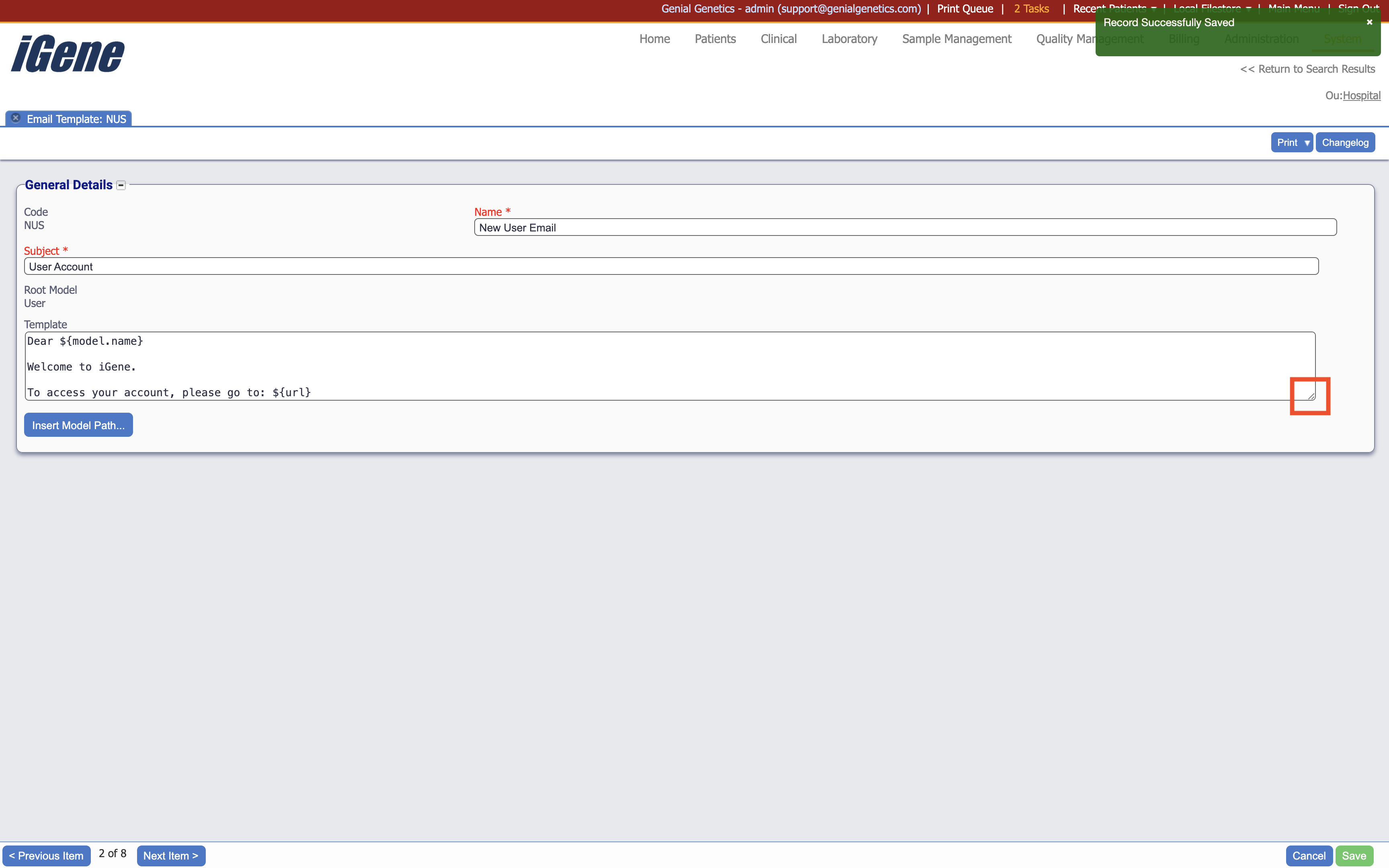
To edit an email template, click on the View link in the table. This will open a page with the details of the email template. The details can be edited here. Dragging the area highlighted in red on the image below allows the user the expand the text box.
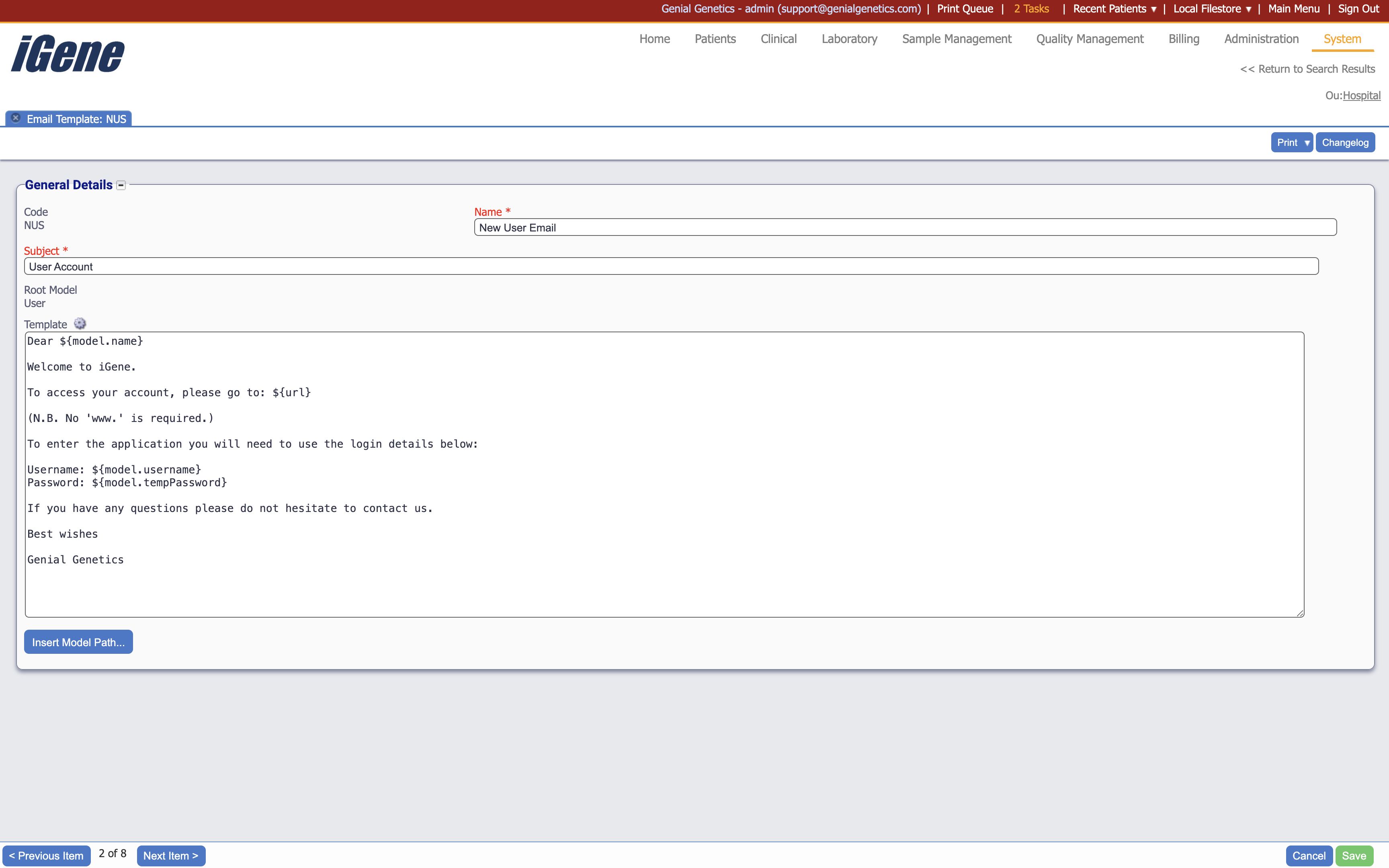
This past is where the email contents will be added. Standard text can be input (such as “Welcome to iGene” in the example), as well as test that is pulled in from the system (such as “Dear ${model.name}). This can be done by clicking on the Insert Model Path button. This will open a popup with a list of variables that can be inserted into the email template. Clicking on a variable will insert it into the email template at the cursor position.