Sample Batching
This page allows for samples to be organised into specific batches. This can be helpful with keeping them organised.
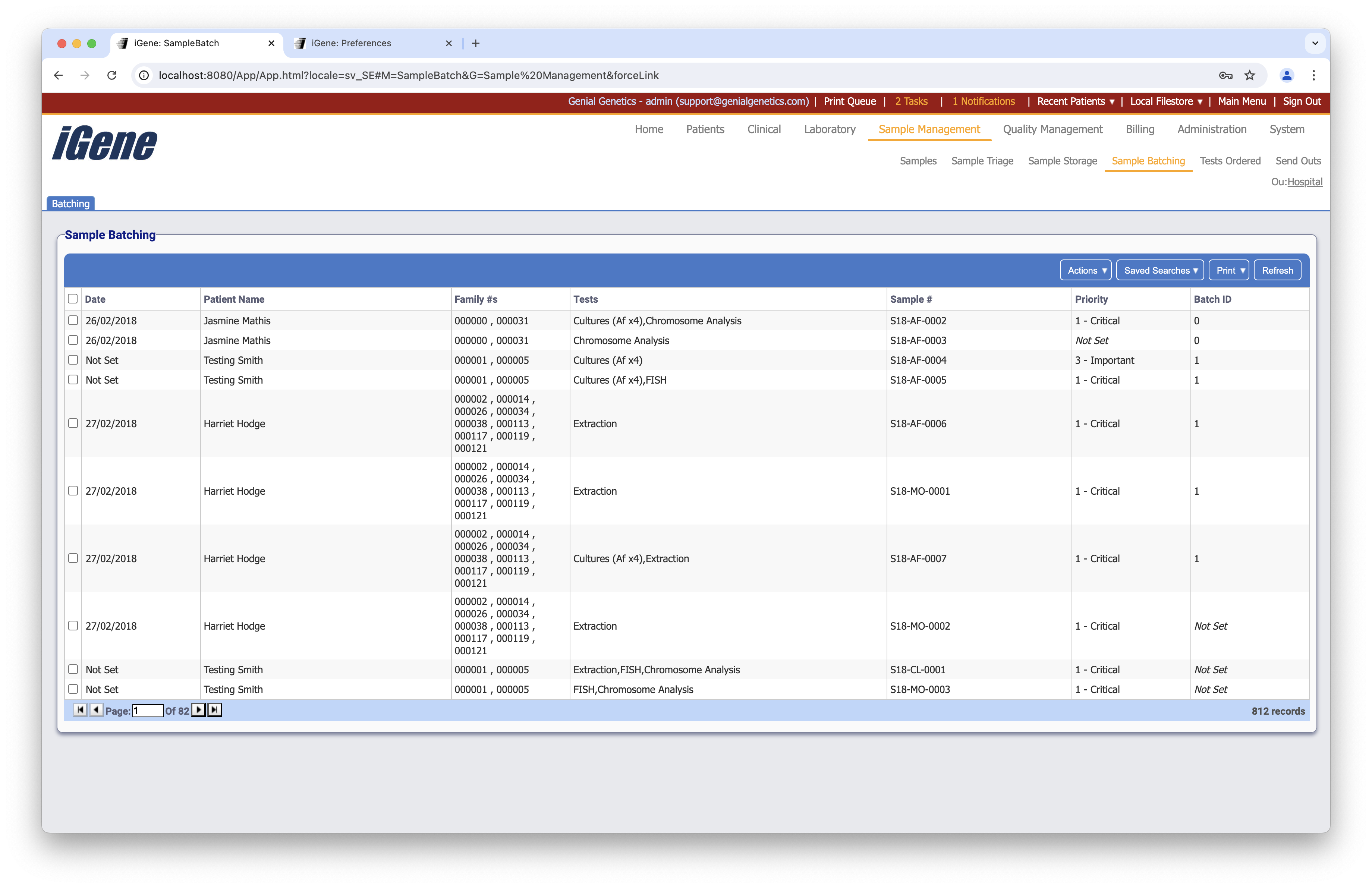
Table Columns
- Date - The date that the referral was received.
- Patient Name - The name of the patient to who the referral is attached.
- Family #s - A list of all associated pedigree numbers.
- Tests - The list of tests for the sample tube.
- Sample # - The unique sample number (this can be configured in the Nomenclature preference).
- Priority - The level of priority assigned to the sample.
- Referral Reasons - If this has been set, then the reasons for the referral will be shown here.
- Batch ID - The ID of the batch that the sample belongs to. If the sample has not been assigned a batch, then this will simply display “*Not Set”.
Additional Actions
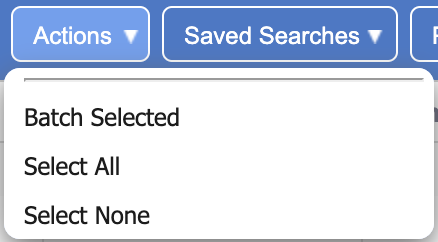
- Batch Selected - Opens a popup showing all selected rows, and allowing the user to set a batch ID and batch type. Note: by default, the batch ID is auto-generated to ensure it is unique.
- Select All - Selects all rows on the current page.
- Select None - Unselects all rows on the current page.