Consent
This page displays a table of all consent requests. These are generated within each patient under the Consent tab, and can all be viewed from this page.
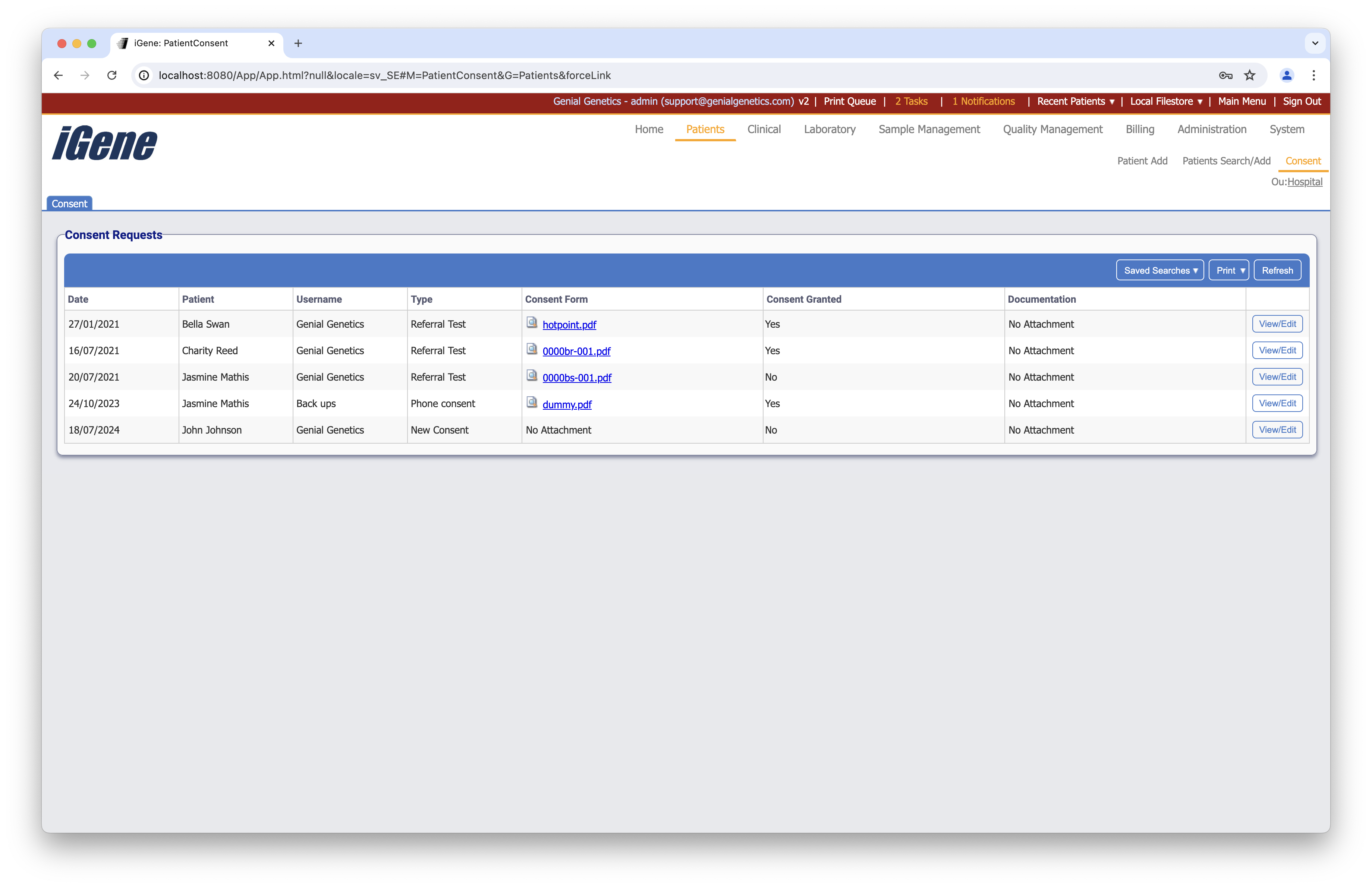
Table columns
- Date - The date that the consent request was generated
- Patient - The patient for whom the consent request was generated
- Username - The username of the staff memeber who generated the consent request
- Type - The type of consent request (the different types can be set in Administration > Preferences > Consent Types)
- Consent form - A link to any attachment when creating the consent request
- Consent granted - An indication of whether consent has been granted by the patient
- Documentation - Any additional documentation attached to the consent request
- View - A button to view the consent request
Additional actions
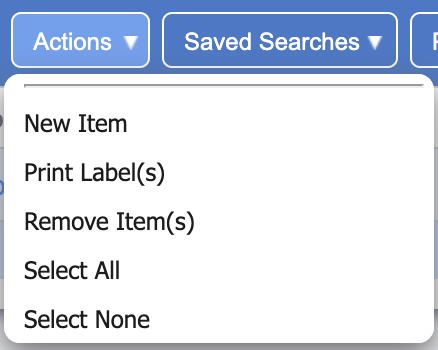
- New Item - This can be used to add a new consent request
- Print Labels(s) - Use this option to print labels for the consent request
- Remove Item(s) - Any ticked consent requests will be removed when clicking this option
- Select All - Ticks all consent requests on the page
- Select None - Un-ticks all consent requests on the page
Viewing a consent request
After clicking the View button, the user is presented with the following popup:
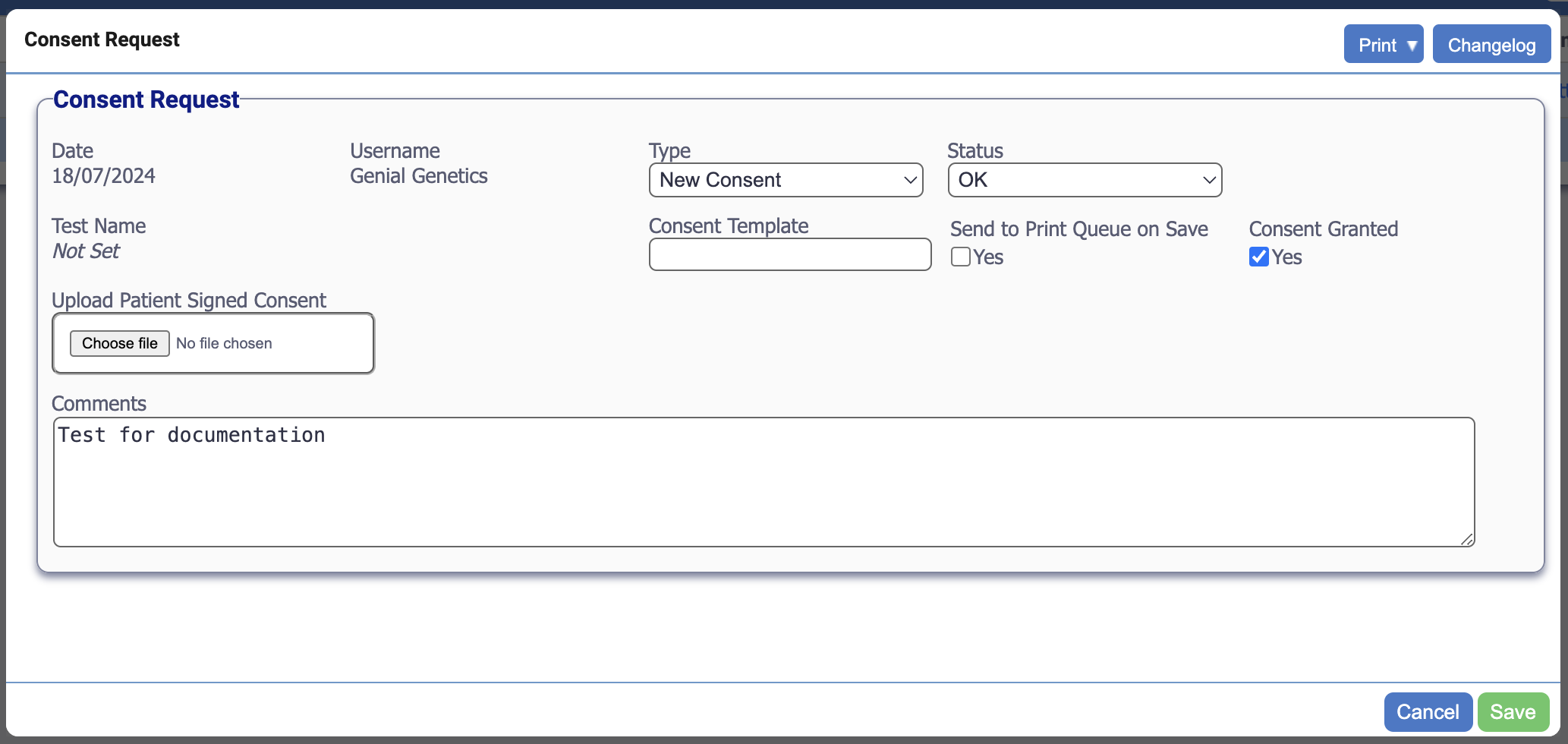
Most of this is similar to what was presented in the columns on the earlier table. However, this popup also shows the checkbox to indicate whether consent has been granted, a checkbox to print (if applicable) when clicking save, an upload button for files which will appear in the Consent Form column, and a textbox for any additional comments.