Tests
This page of iGene shows all tests stored. They are all colour co-ordinated based on the priority level, as can be observed in the screenshot below:
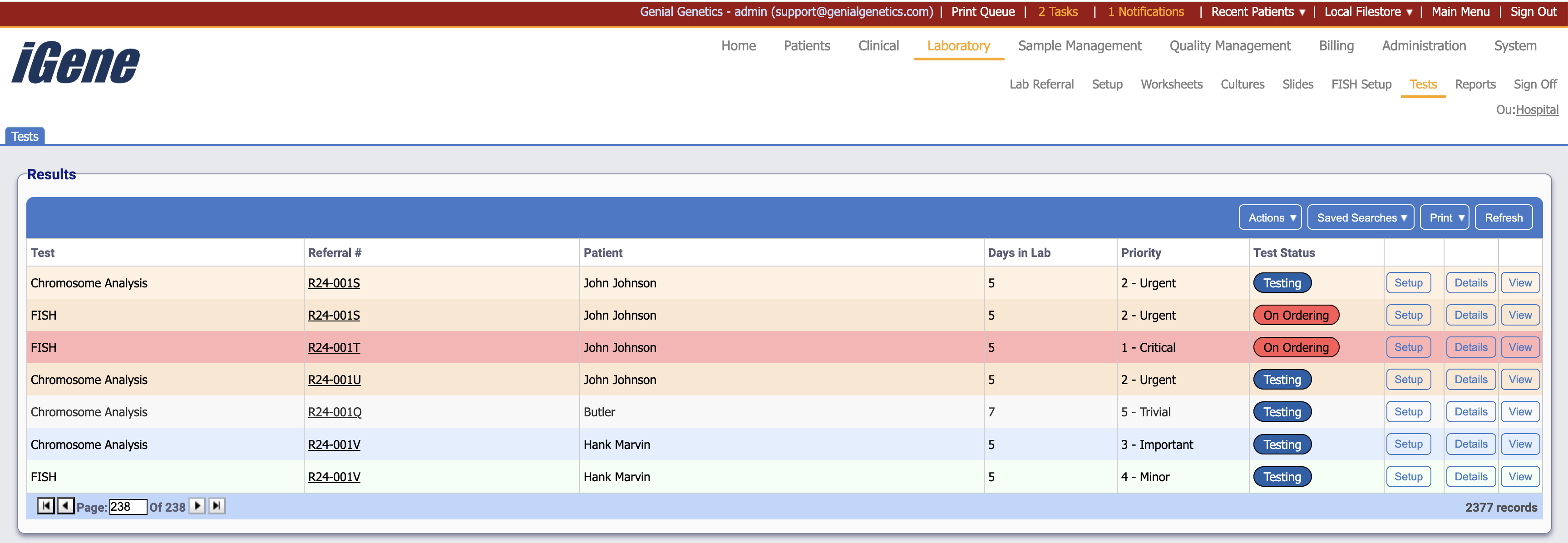
Table Columns
- Test - The name of the test.
- Referral # - The unique number associated with the referral.
- Patient - The name of the patient.
- Days in Lab - The amount of days since the date of the test being received.
- Priority - The level of priority assocaited with the test.
- Test Status - The current status of the test.
- Setup - Opens the setup screen for the test.
- Details - Open the test detail popup.
- View - Opens the result page of the test.
Additional Actions
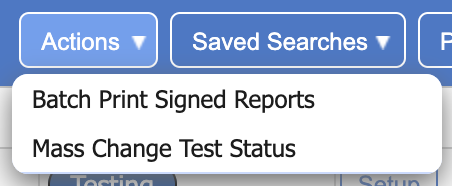
- Batch Print Signed Reports - Prints all signed reports based on the current search. Note: if some reports are not eligible, such as not being signed off, or having tests with no reports yet created, then this will display an error and not complete the action.
- Mass Change Test Status - Allows the overriding of all selected test statuses.