Cultures
This page of iGene shows all cultures currently stored within iGene.
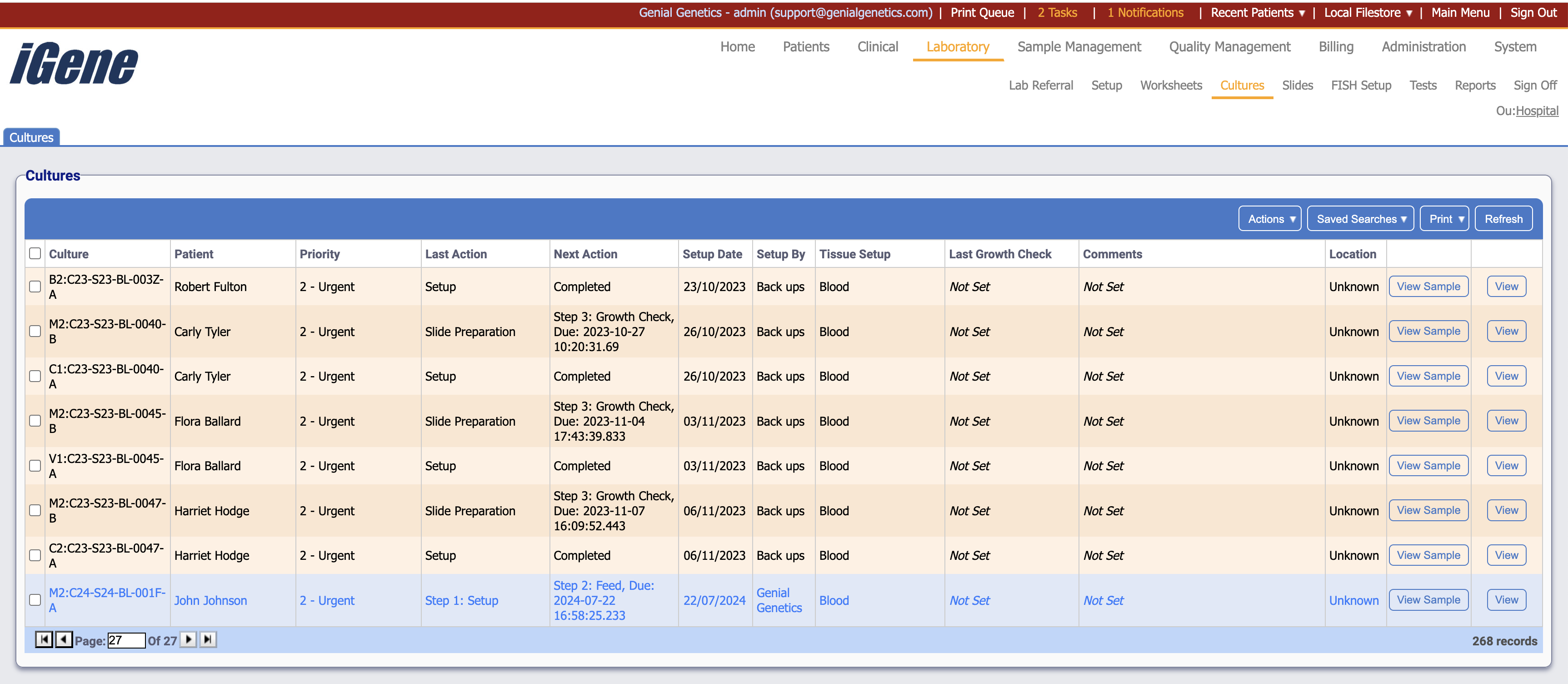
Table Columns
- Culture - The name of the culture. This can be set in Administration > Preferences > Nomenclature to a format that suits the customer.
- Patient - The name of the patient to who the referral is attached.
- Priority - The priority of the culture.
- Last Action - The last action taken on the culture.
- Setup Date - The date when the setup was created.
- Setup By - The name of the user that created the setup.
- Tissue Setup - The sample type of the culture.
- Last Growth Check - If a growth check has taken place, the date of the most recent one will be displayed here.
- Comments - Any comments saved to the culture.
- Location - If the location of the sample tube has been set, it will be displayed here.
- View Sample - Opens a sample details popup where information can be viewed and edited.
- View - Opens the setup page for the clicked culture.
Additional Actions
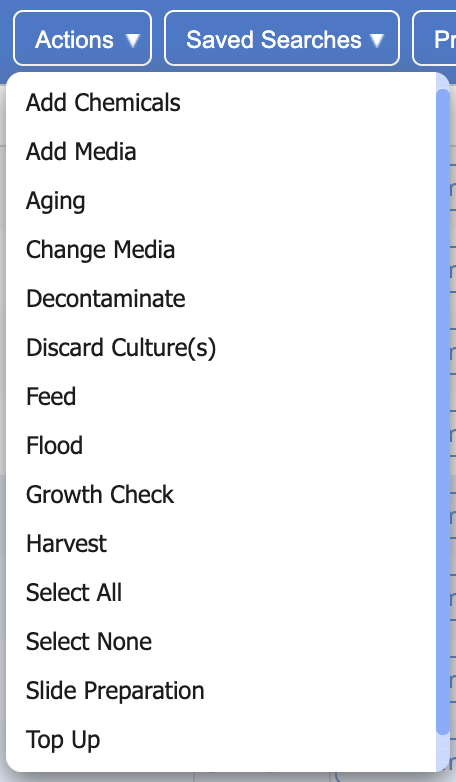
Note: You may need to scroll down to see all options in this action menu.
- Add Chemicals - Opens a popup where reagents can be added and saved as a chemical.
- Add Media - Opens a popup where reagents can be added and saved as a media.
- Aging - Opens a popup for aging, where a duration, temperature and equipment used can be set.
- Change Media - Change any media already set to the culture.
- Decontaminate - Opens a popup where reagents can be added and saved as a decontamination.
- Discard Culture(s) - Opens a popup where a reason can be given for any cultures which will be discarded/deleted.
- Feed - Opens a popup where reagents can be added and saved as a feed.
- Flood - Opens a popup where reagents can be added and saved as a flood.
- Growth Check - Opens a popup where a growth check and any comments can be recorded.
- Harvest - Opens a popup where reagents can be added and saved as a harvest.
- Select All - Selects all rows on the page.
- Select None - Un-selects all rows on the page.
- Slide Preparatoin - Opens a popup where slide preparation can be edited or added to.
- Top Up - Opens a popup where reagents can be added and saved as a top up.