Surveillance List
There are four different lists within iGene where patient referrals may be found - Waiting List, Triage List, Follow Up List, and Surveillance List. A referral can be on one or zero lists at any time. Within the list where it appears, only one instance of the referral can appear.
The Surveillance List is where clinical referrals will be found if Surveillance required is ticked in an appointment outcome.
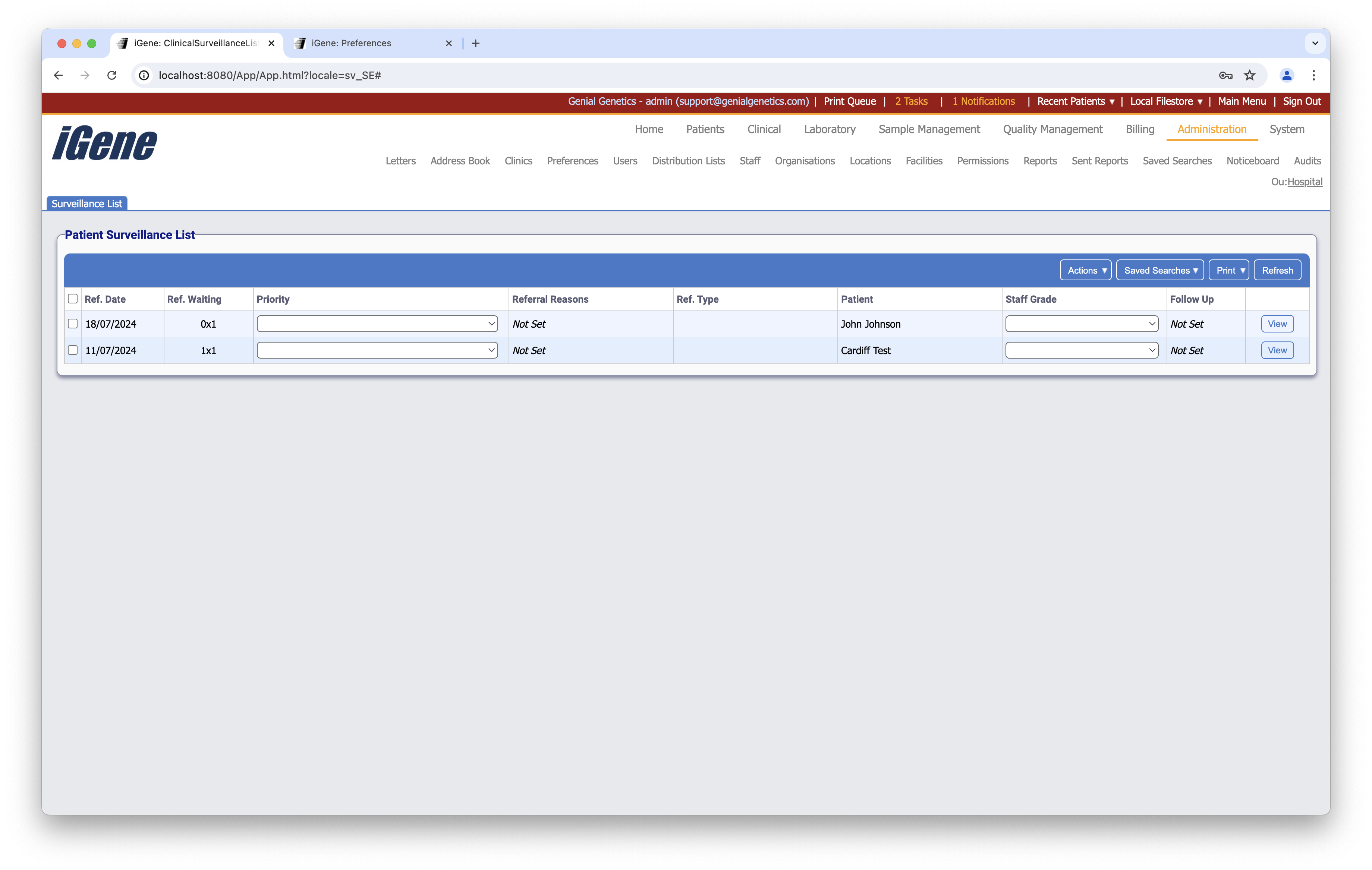
Table Columns
- Ref. Date - The date that the referral was created.
- Ref. Waiting - The amount of time since the referral was created. The number before the x indicates weeks, and the number after the x indicates days.
- Priority - The level of priority can be set here.
- Ref. Reasons - If this is set within the referral, it will be displayed here.
- Ref. Type - If set, the referral type will be displayed here.
- Patient - The name of the patient.
- Staff Grade - The grade of the staff needed for the surveillance can be set here.
- Follow up - If applicable, shows the Follow Up status of the referral.
- View - Opens the outcome screen for the referral.
Additional Actions
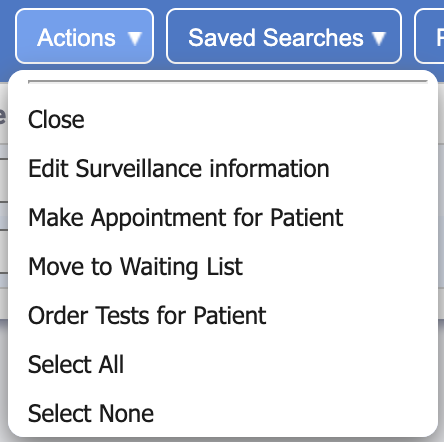
- Close - Closes any selected referrals.
- Edit Surveillance Information - Opens a popup where information can be edited.
- Make Appointment for Patient - Opens a popup which allows for booking a single appointment.
- Move to Waiting List - Transfers this referral from the Surveillance List to the Waiting List.
- Order Tests for Patient - Opens a popup where a specific test can be ordered for the referral.
- Select All - Selects all referrals within this table.
- Select None - Un-selects all referrals within this table.