Sign Off
The Sign Off page of iGene displays all reports that are awaiting authorisation. If signatures are required but not yet acquired, it will not be possible to authorise a report. If it does not require any signatures, or otherwise if the amount of required signatures have been acquired, then authorisation will be possible.
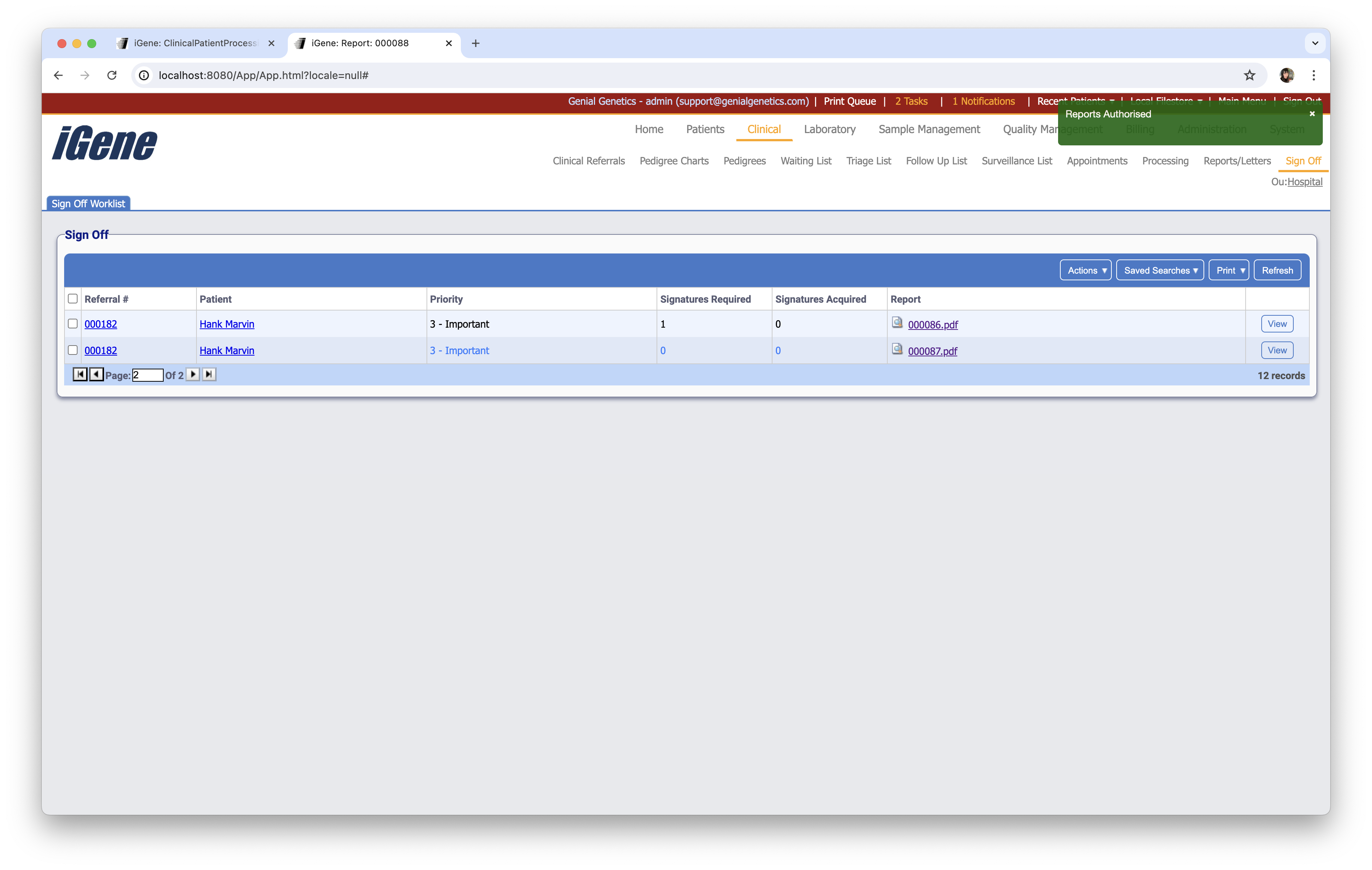
Table Columns
- Referral # - The unique referral number for the clinical referral.
- Name - The name of the patient.
- Priority - The level of priority given to the referral.
- Signatures Required - The amount of signatures needed before authorisation will be possible.
- Signatures Acquired - The amount of signatures in place on the report.
- Report - A link to the generated report.
- View - Opens the report screen for the referral.
Additional Actions
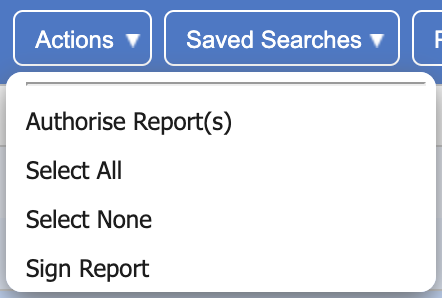
- Authorise Report(s) - Sets a report to authorised if it has met the amount of required signatures.
- Select All - Selects all referrals within this table.
- Select None - Un-selects all referrals within this table.
- Sign Report - If the logged in staff member is on the list of signatures within the report, then a popup will request their password before adding the signature. This will not work if the user is not in the list of signatures within the report.