Processing
The Processing page in iGene displays a list of clinic appointments that meet specific criteria. Here’s what you can see on this page:
Attended Appointments: Only appointments that have been attended by the patient are shown. This ensures that the list focuses on appointments where interaction has taken place.
Active Referrals: The list includes appointments that are linked to active referrals. If a referral is closed or inactive, those appointments will not be shown.
Appointments Requiring Outcomes: The page highlights appointments that still need a clinical outcome to be recorded. This helps ensure that necessary follow-up actions are not missed.
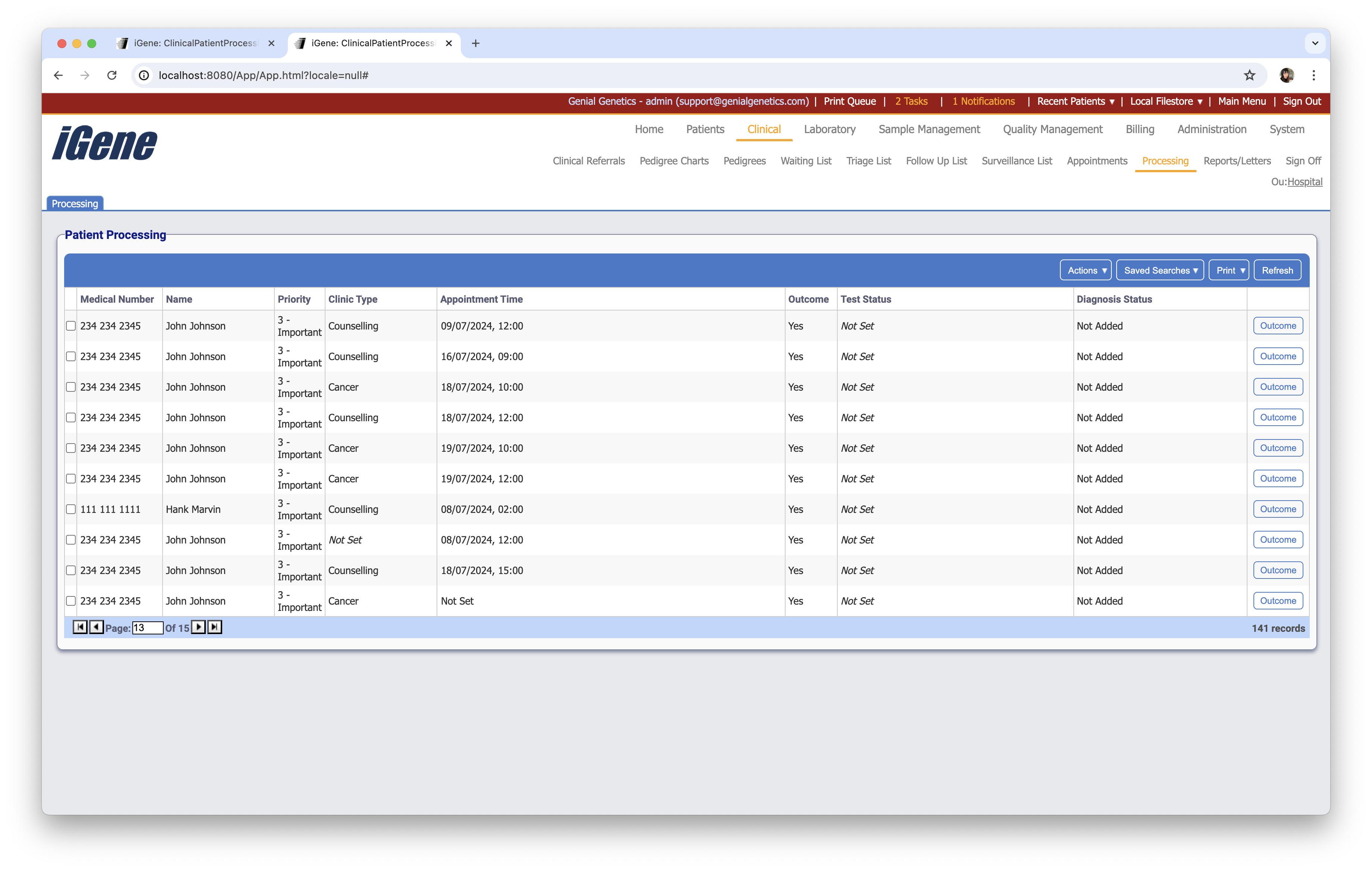
Table Columns
- Medical Number - A number unique to the patient. For example, in the UK, this would most likely be the NHS number.
- Name - The name of the patient.
- Priority - The level of priority given to the referral.
- Clinic Type - The type of clinic that was assigned for this appointment.
- Appointment Time - The date and time of the appointment.
- Outcome - Yes if the appointmetn has had an outcome, No otherwise.
- Test status - If a test status has been assigned, it will be displayed here.
- Diagnosis Status - If a diagnosis status has been assigned, it will be displayed here.
- Outcome - Opens the outcome screen for the appointment.
Additional Actions
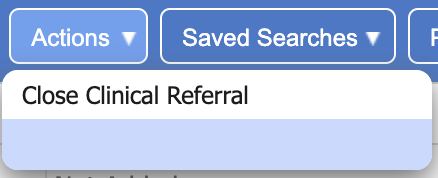
- Close Clinical Referral - Closes the selected clinical referrals.