Pedigree Charts
Every pedigree chart created in iGene can be viewed in the list on this page.
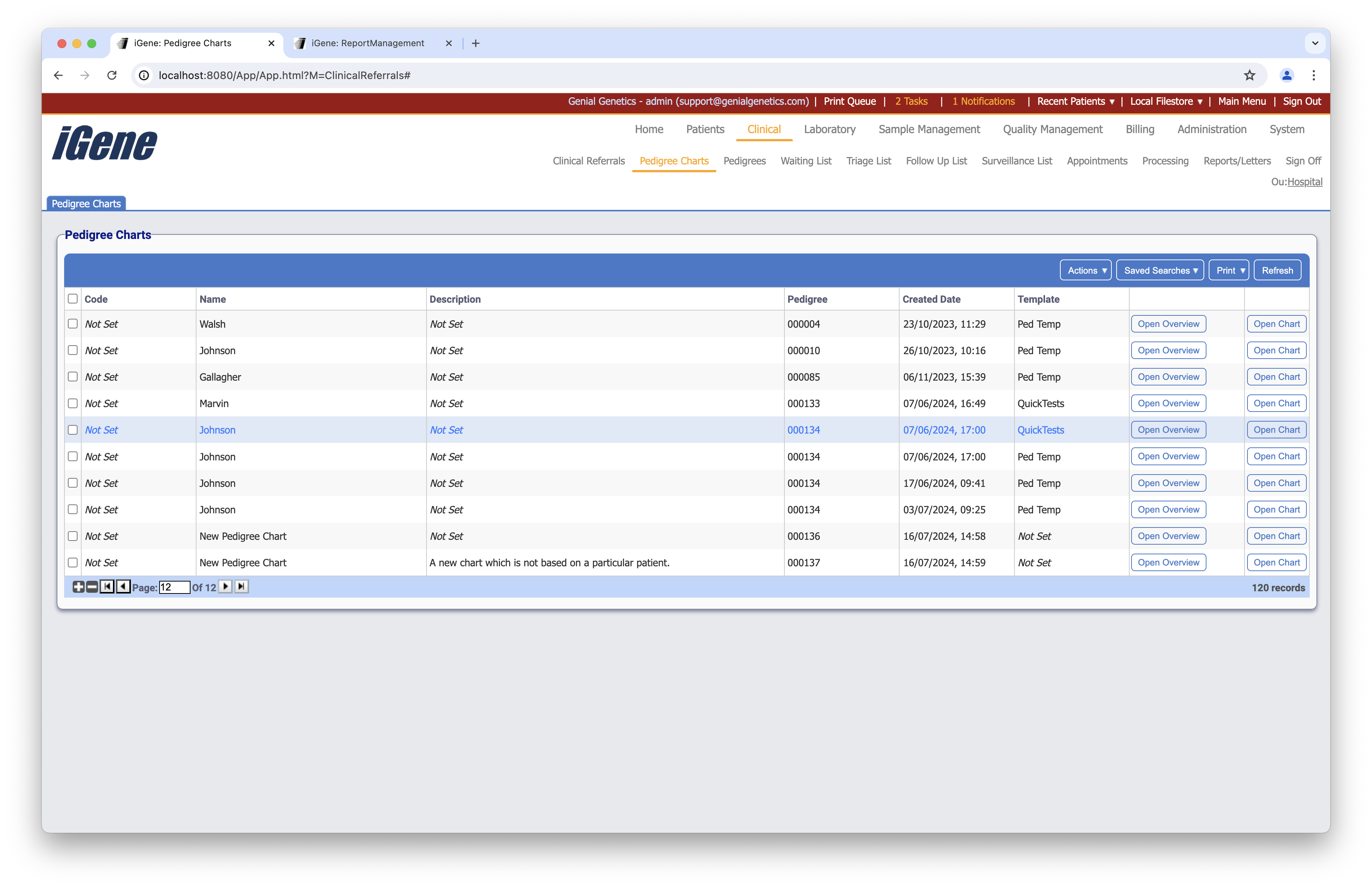
Table Columns
- Code - Any code assigned to the specific pedigree chart.
- Name - The name of the pedigree chart. If created from a Patient page, the name will be the surname of the patient by default. If created from within this list then there will be no patient immediate assigned. Therefore, the default in this case will be New Pedigree Chart.
- Description - If a description has been given to a pedigree chart, it will be displayed here.
- Pedigree - A unique number which can be assigned to only one family.
- Created Date - The date that the chart was created.
- Template - If a template was used for the pedigree chart, then the name will be displayed here.
- Open Overview - If a patient is associated with the pedigree chart, this will open the patient overview page for them. If no patients are associated, it will open the overview for the preliminary patient. This means that the patient exists as an entity within iGene (due to being added to a pedigree chart) but does not presently have any details.
- Open Chart - Opens the pedigree chart. If the user has persmission, it can be edited from here.
Additional Actions
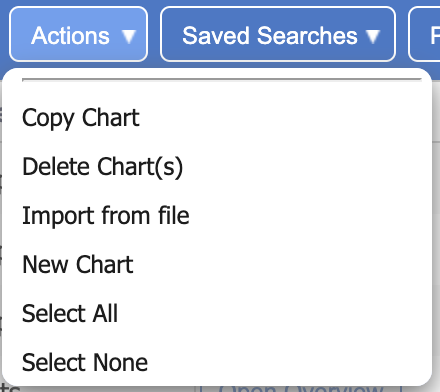
- Copy Chart - Allows duplication of a selected chart.
- Delete Chart - Deletes any selected charts.
- Import From File - If a pedigree chart has been saved externally, it can be imported with this action.
- New Chart - Allows the creation of a new chart.
- Select All - Selects all charts on the current page.
- Select None - Un-selects all charts on the current page.