Users
This page of iGene shows all users stored in the system. This should include anybody who needs to log in to the system.
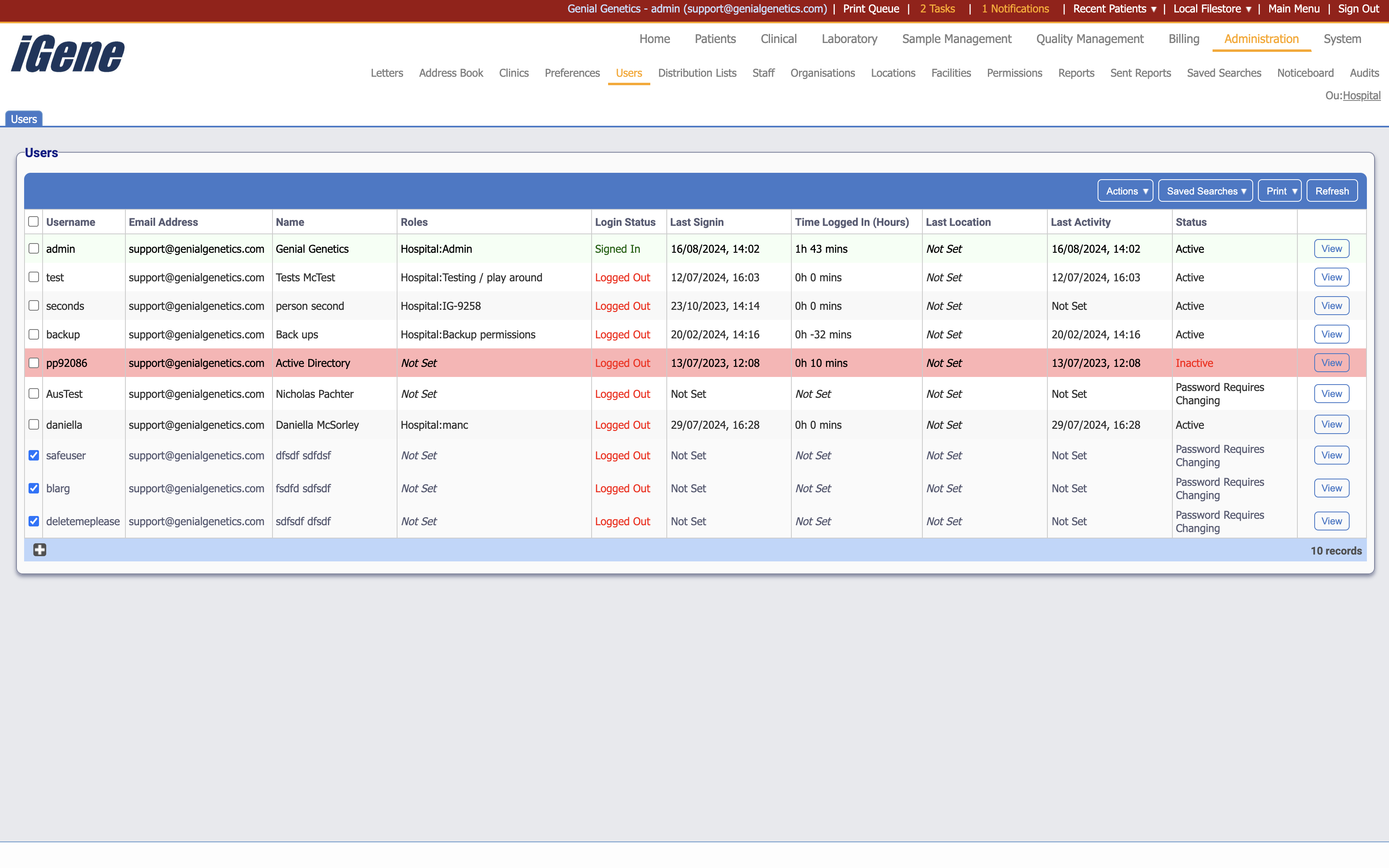
Table Columns
- Username - The username of the user.
- Email Address - The email address of the user.
- Name - The name of the user.
- Roles - The roles the user has.
- Login Status - Whether the user is currently logged in or not.
- Last Signin - The date and time of the user’s last sign in.
- Time Logged In - The total time the user has been logged in since last being logged out.
- Last Location - The last location the user was logged in from.
- Last Activity - The date and time of the user’s last activity.
- Status - Whether the user is active or inactive. This also includes whether the user is locked out or not, and if they require a password change.
- View - A link to open a page with details of the user. The details can be edited here.
Additional actions
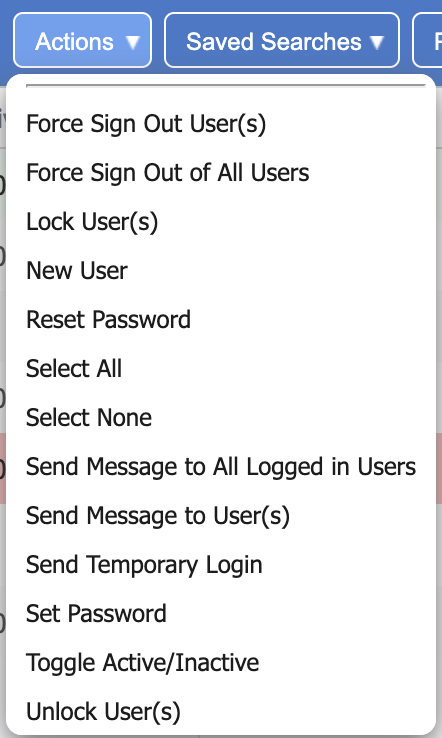
- Force Sign Out User(s) - This will force the selected user(s) to sign out.
- Force Sign Out All Users - This will force all users to sign out.
- Lock User(s) - This will lock the selected user(s) out of the system.
- New User - This will open a page to create a new user.
- Reset Password - This will reset the password of the selected user(s).
- Select All - This will select all users in the list.
- Select None - This will deselect all users in the list.
- Send Message to All Logged In Users - This will open a popup to send a message to all logged in users. It will display in a green box in the top right area of the screen.
- Send Message to User(s) - This will open a popup to send a message to the selected user(s). It will display in a green box in the top right area of the screen.
- Send Temporary Login - This will send a temporary login to the selected user(s). This is useful for users who have forgotten their password.
- Set Password - This will set the password of the selected user(s).
- Toggle Active/Inactive - This will toggle the active status of the selected users.
- Unlock User(s) - This will unlock the selected user(s) if they are locked out.