Reports
This page of iGene displays a list of all the reports that have been created in the system. Reports can be generated for a variety of purposes, such as tracking appointments, monitoring staff performance, and analysing patient data. It is possible to create, edit and delete reports from this page.
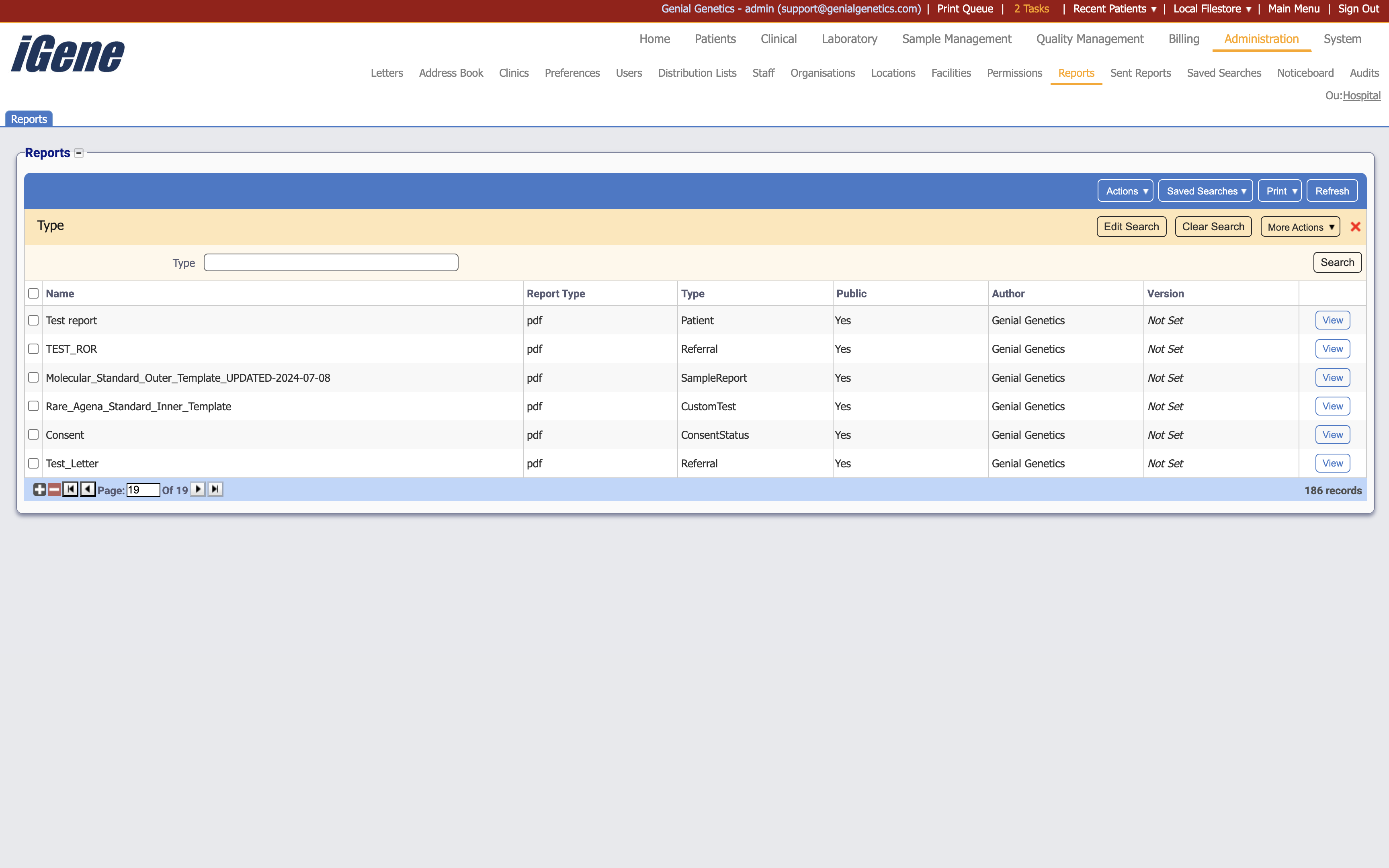
Table Columns
- Name - The name of the report.
- Report Type - The type of the report. This could be pdf, csv, or other formats.
- Type - The category of the report. This indicates where the report can be printed from within iGene.
- Public - Whether the report is available to all users or only to specific users.
- Author - The user who created the report.
- Version - The version of the report (if set).
- View - A link to open a page with details of the report. The details can be edited here.
Additional actions
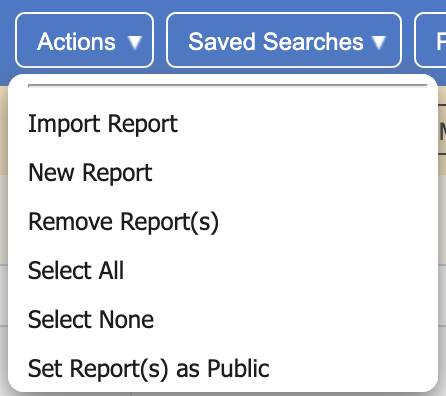
- Import Report - This will allow you to import a report from an external source.
- New Report - This will open a page to create a new report.
- Remove Report(s) - This will remove the report(s) from the list.
- Select All - This will select all reports in the list.
- Select None - This will deselect all reports in the list.
- Set Report(s) as Public - This will make the selected reports available to all users.