Preferences
This page of iGene shows all preferences stored in the system. This is where the vast majority of customisation within the app takes place. This section will provide a brief overview, but for further information about the preferences, please refer to the Configuring iGene section.
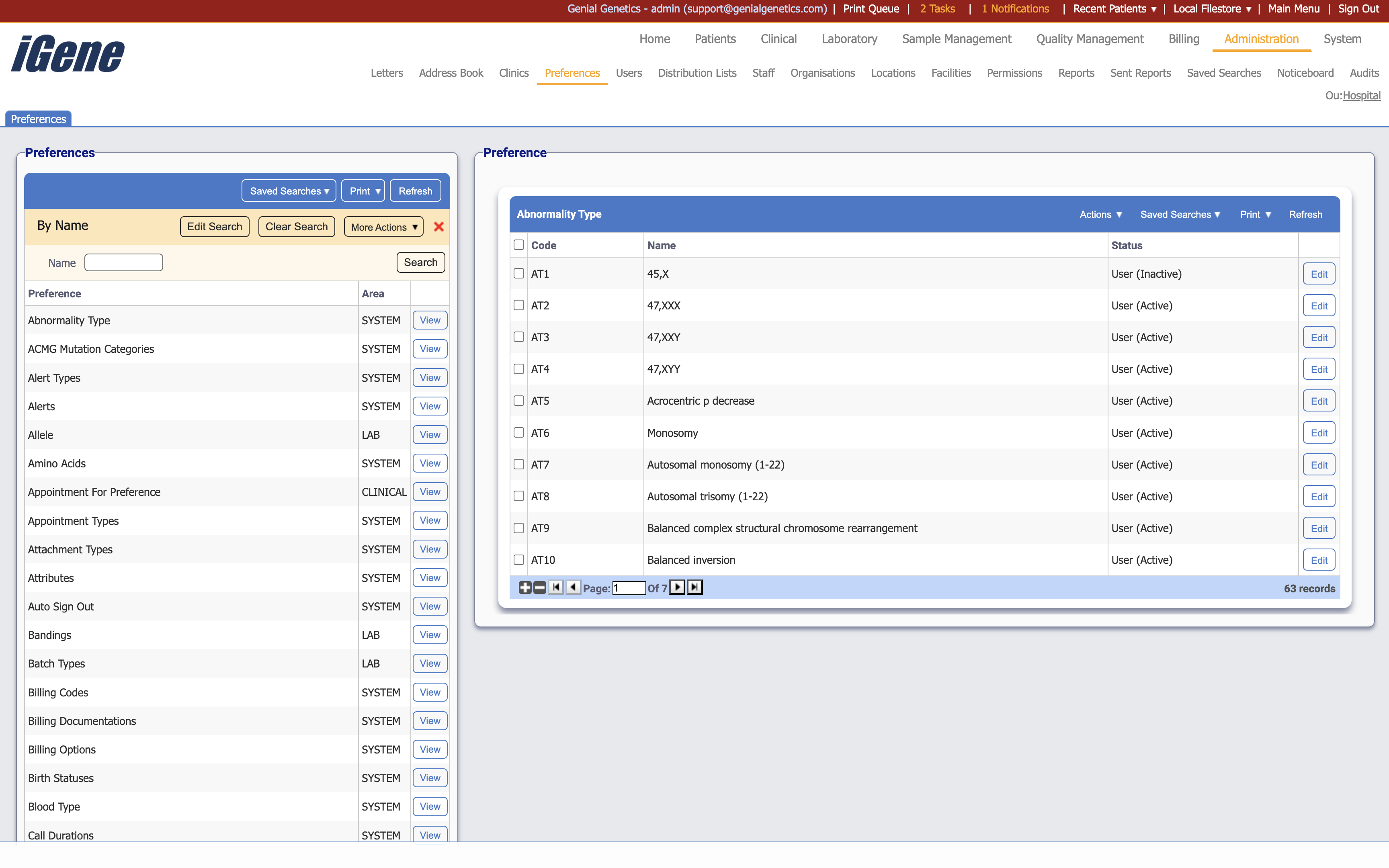
Above is an example of when the user clicks to view the Abnormality Types preferences from the table on the left of the page. This opens the specific Abnormality Types preferences page to the right.
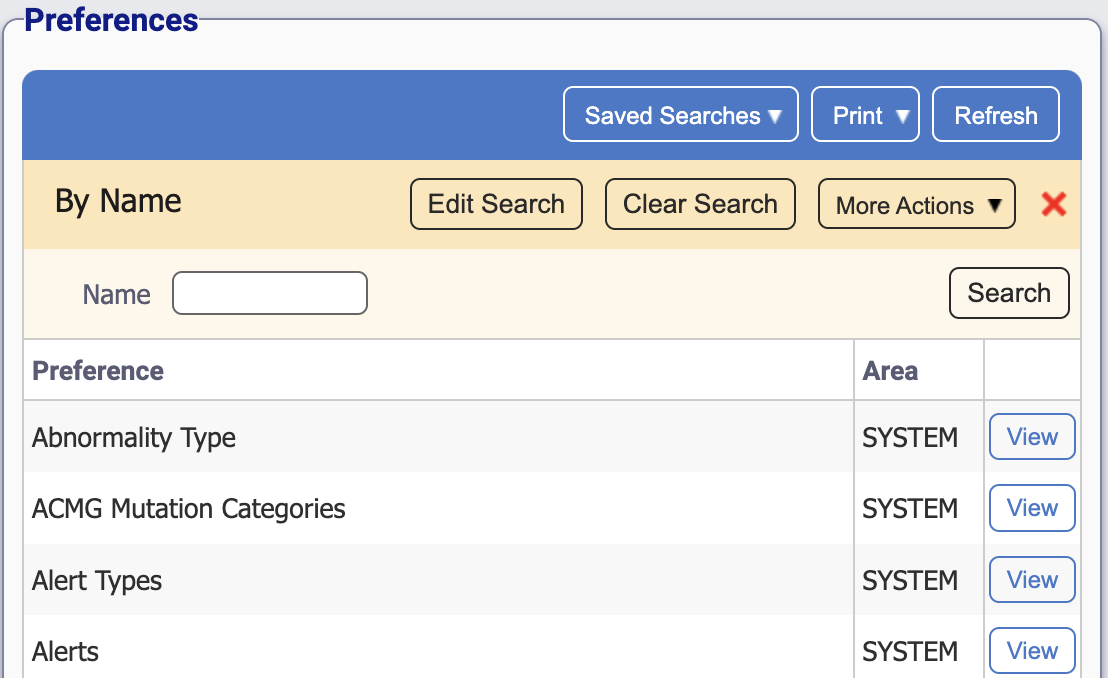
Here is where all of the customisable preferences are stored.
Table Columns
- Preference - The name of the preference.
- Area - The area of the system the preference is associated with.
- View - A link to open this preference on the right side of the page. See below for an example.
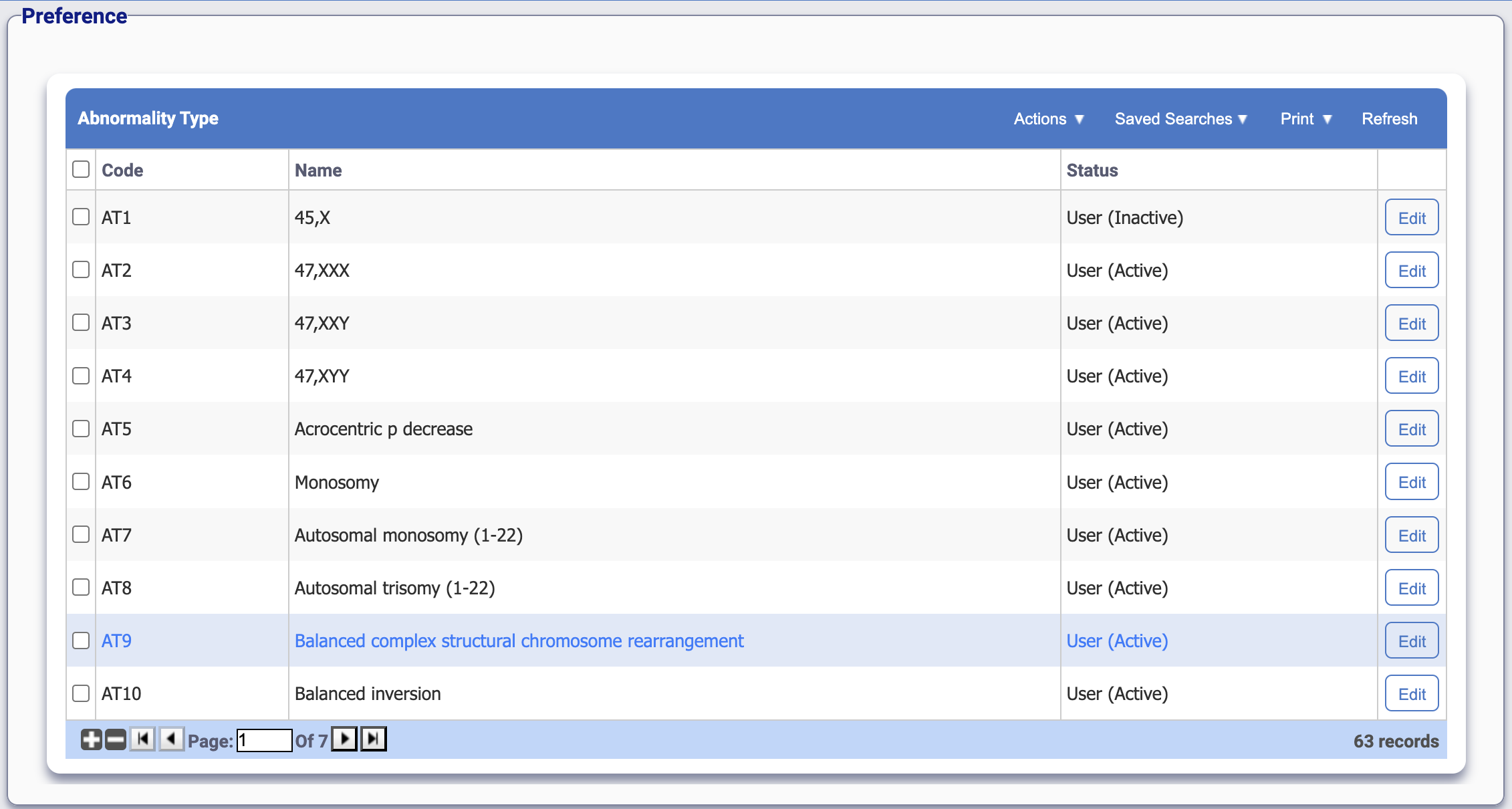
For the Abnormality Type, this displays each individual preference that has been set up. The unique code, name, and active status can be viewed here. Each preference may have different column names and actions, so it is advised to refer to the In Depth section for more information if needed.