Permissions
This page of iGene displays a list of all the permissions that have been created in the system. Permissions are used to control access to different parts of the system. It is possible to create, edit and delete permissions from this page.
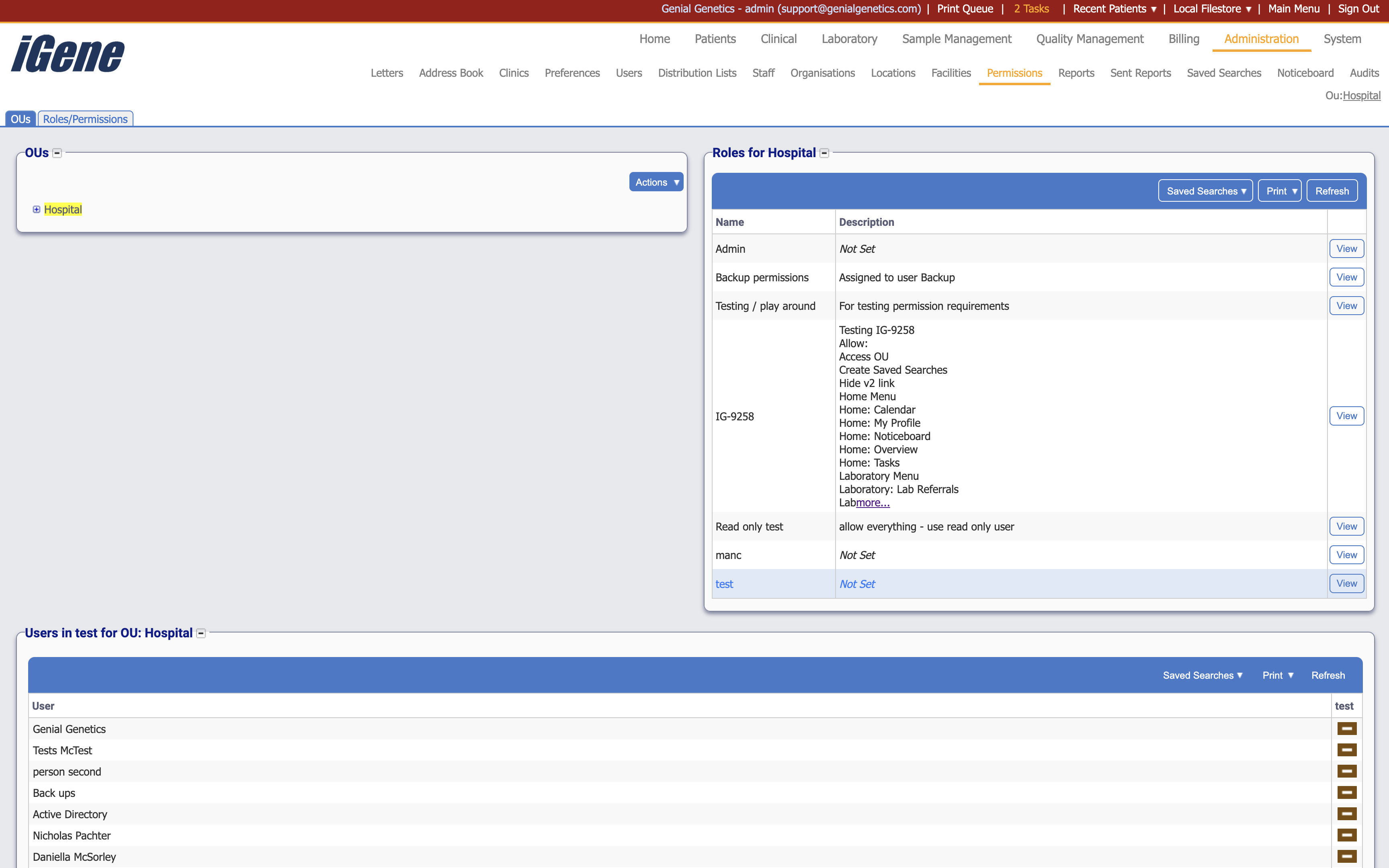
On this example, Hospital was clicked which generated the Roles for Hospital table. Next, View was clicked on the test row, which generated the bottom table named Users in test for OU: Hospital.
The list of roles can be defined and assigned to specific users. Examples may be Administrator, Doctor, Nurse, Student, etc. as they would only require access and reading permissions to certain parts of the system.
Clicking the Roles/Permissions tab opens the following page where the roles can be defined.
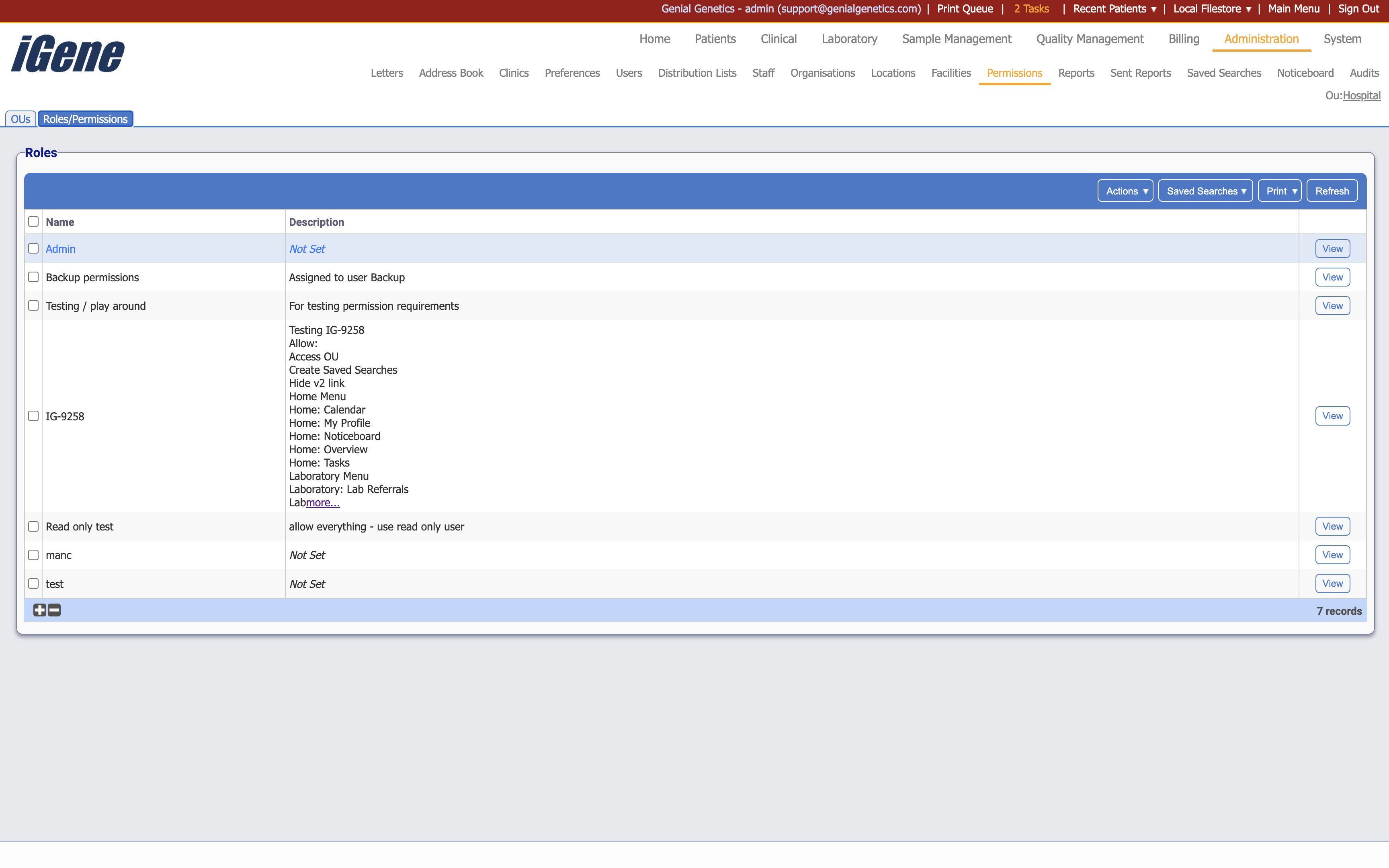
Table Columns
- Name - The name of the permission.
- Description - A brief description of the permission.
- View - A link to open a an area below with details of the permission. The details can be edited here.
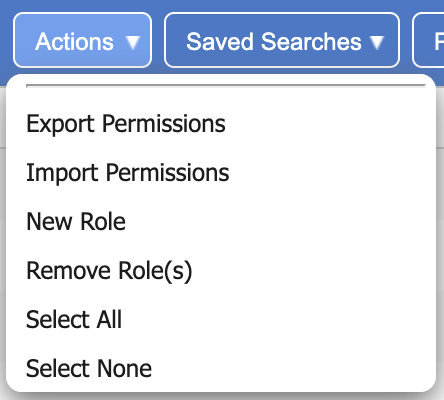
Additional actions
- Export Permissions - This will export the permissions to a zip file.
- Import Permissions - This will import permissions from a zip file.
- New Role - This will open a page to create a new role.
- Remove Role(s) - This will remove the role(s) from the list. If a role is removed, all permissions associated with it will also be removed.
- Select All - This will select all roles in the list.
- Select None - This will deselect all roles in the list.
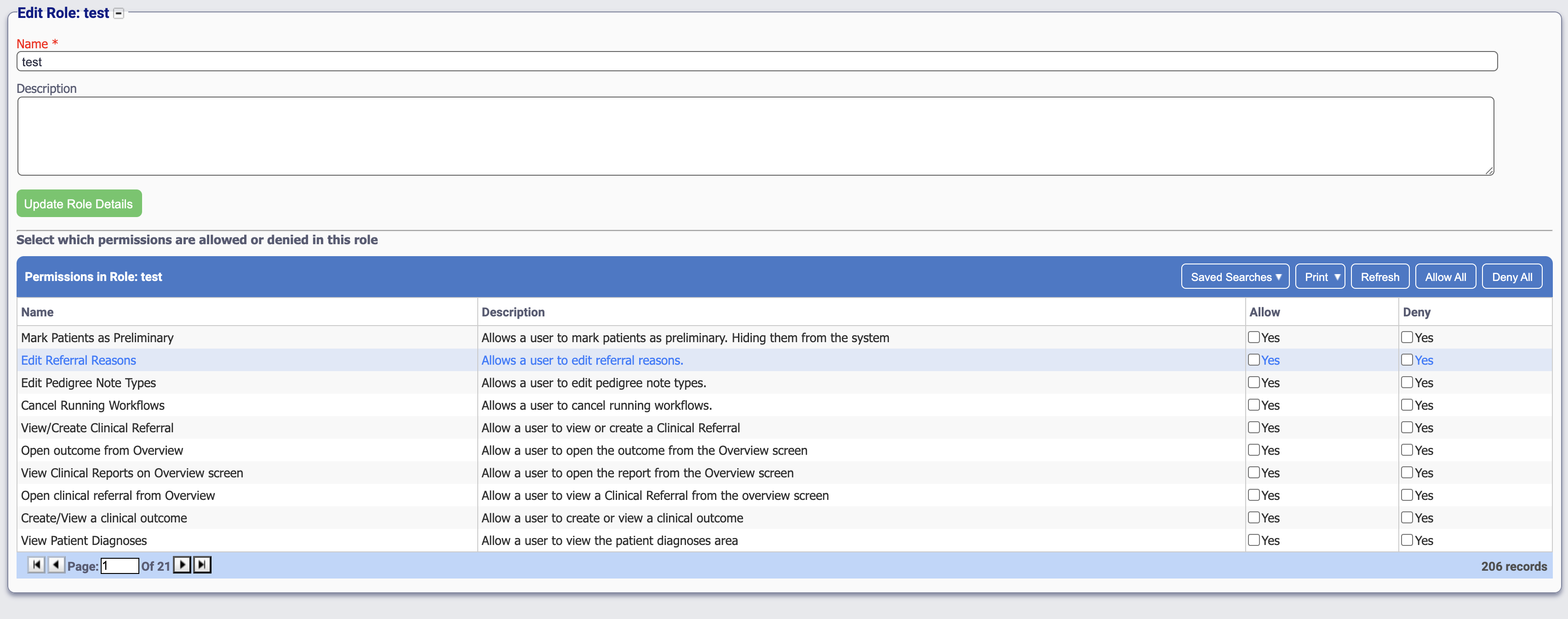
Clicking the View link on a role will open the area below the permissions.
Table Columns
- Name - The name of the permission.
- Description - A brief description of the permission.
- Allow - A checkbox to allow the permission.
- Deny - A checkbox to deny the permission. Note, if neither is checked, the permission is set as allowed.