Noticeboard
This page of iGene displays a list of all the notices that have been created in the system. After a notice has been created, it will appear in the Home > Noticeboard section for the relevant users. In the example below, the View buttom for Genial Genetics has been clicked, which generated the Notice Detail section on the right side of the screen.
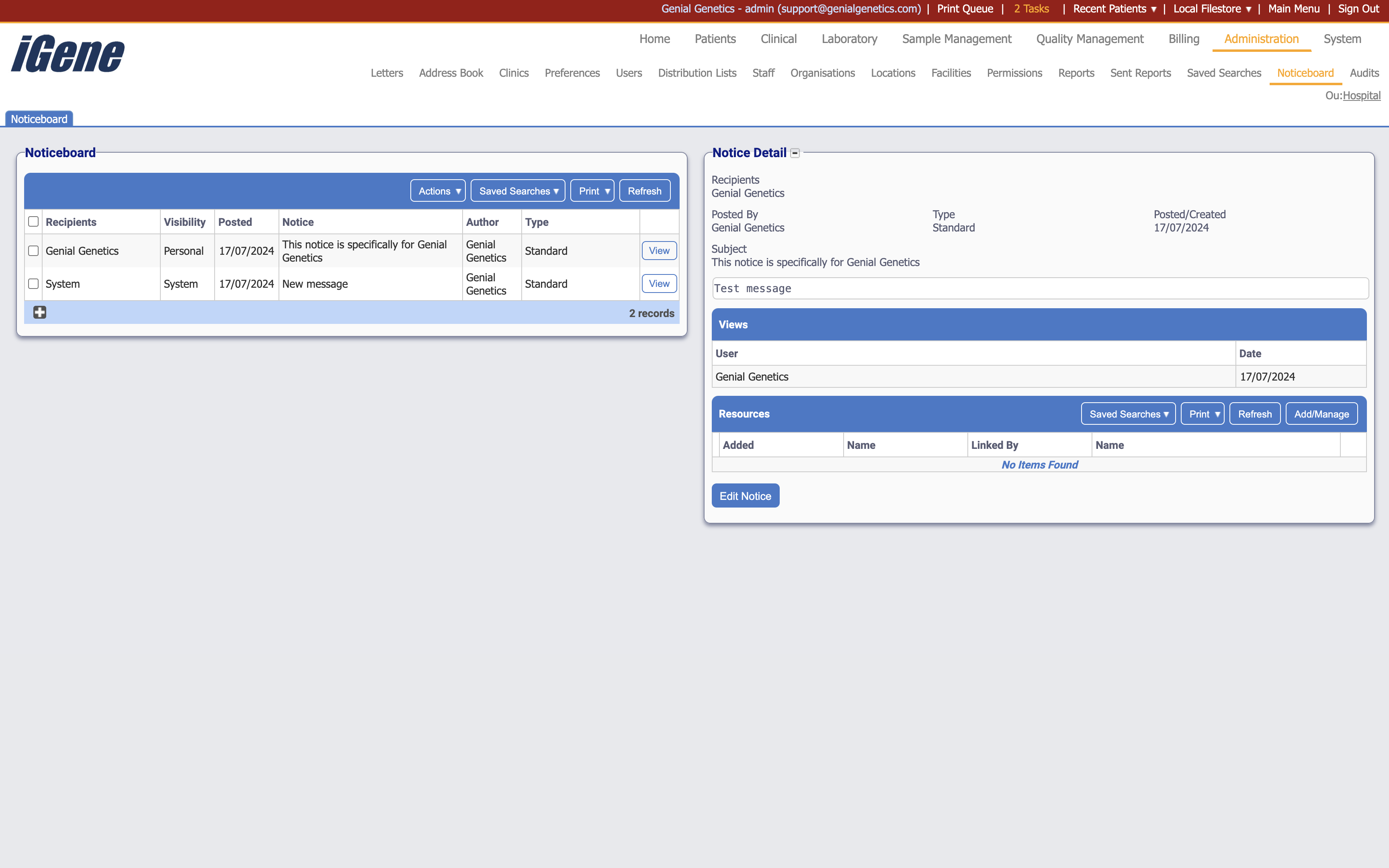
Table Columns
- Recipients - The users or groups that the notice is intended for.
- Visibility - Whether the notice is visible to all users (system-wide) or only to specific users.
- Posted - The date that the notice was posted.
- Author - The user who created the notice.
- Type - The type of the notice.
- View - A link to open the details of the notice.
Additional actions
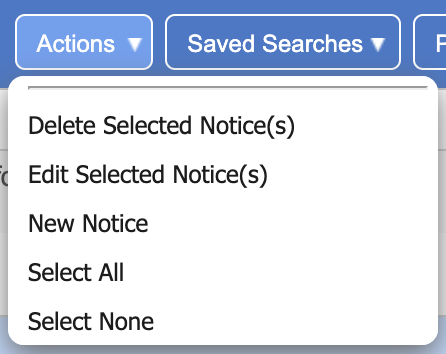
- Deleted Selected Notice(s) - This will remove the selected notice(s) from the list.
- Edit Selected Notice(s) - This will open a page to edit the selected notice(s).
- New Notice - This will open a page to create a new notice.
- Select All - This will select all notices in the list.
- Select None - This will deselect all notices in the list.
Creating a New Notice
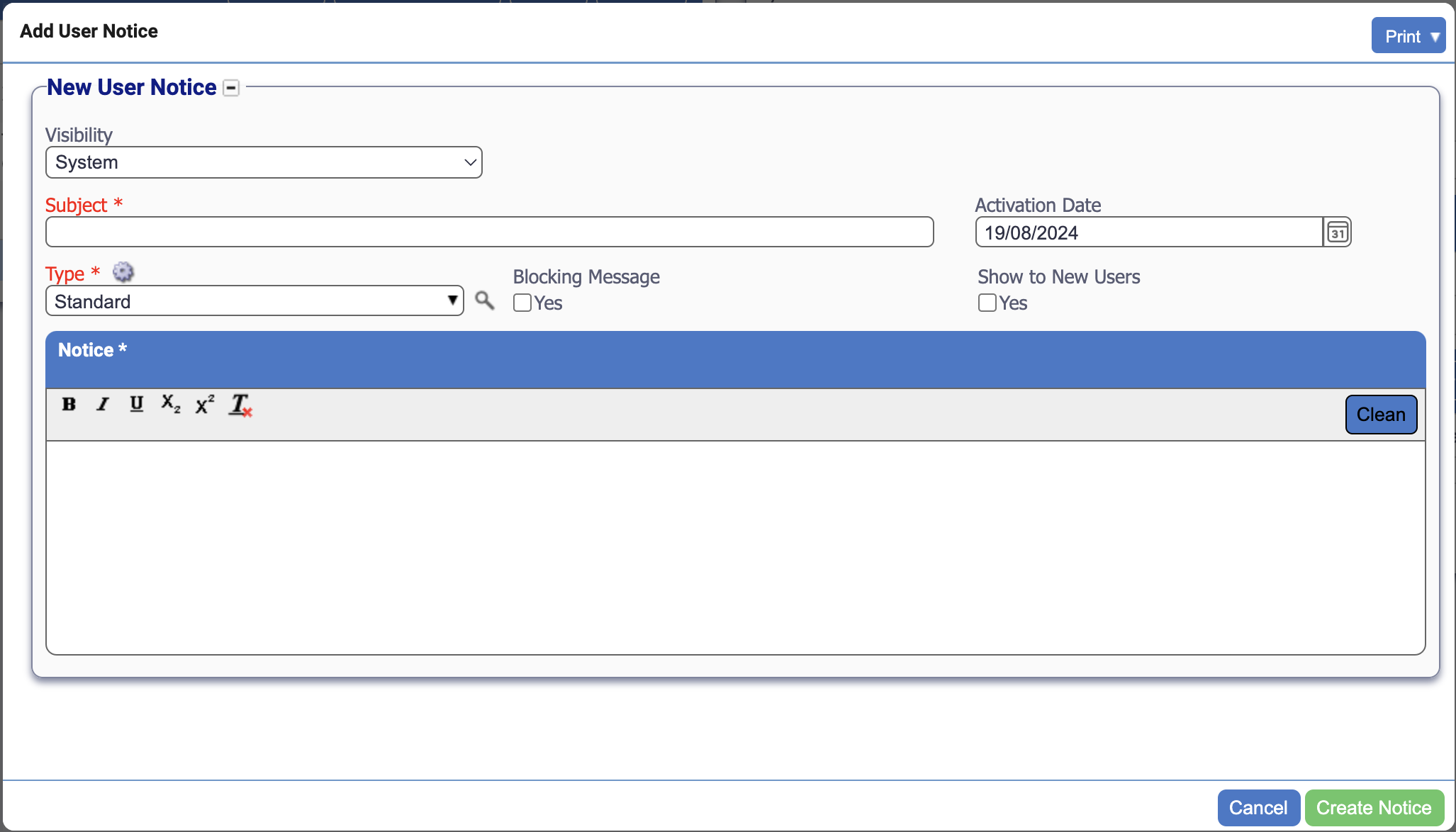
To create a new notice, click the New Notice button or the plus button. This will open a popup where you can enter the details of the notice. The following fields are available:
Fields
- Visibility - Whether the notice is visible to all users (system-wide) or only to specific users. If User is selected instead of System, then a new section named Recipients will show where the notice can be assigned to specific users.
- Recipients - The users or groups that the notice is intended for. This field is only available if User is selected in the Visibility field.
- Subject - The subject of the notice.
- Activation Date - The date that the notice will be posted.
- Type - The type of the notice.
- Blocking Message - If the notice is a blocking message, then this checkbox should be ticked. This is a message that will be displayed to the user when they log in.
- Show to New Users - If the notice should be shown to new users, then this checkbox should be ticked. This checkbox will not appear if the Visibility field is set to User.
- Notice - The content of the notice.