Letters
This page of iGene shows all letters which have been sent out. This is defined in the Report section, as reports can be defined as a correspondence letter. If this is the case, it will be shown here after being generated.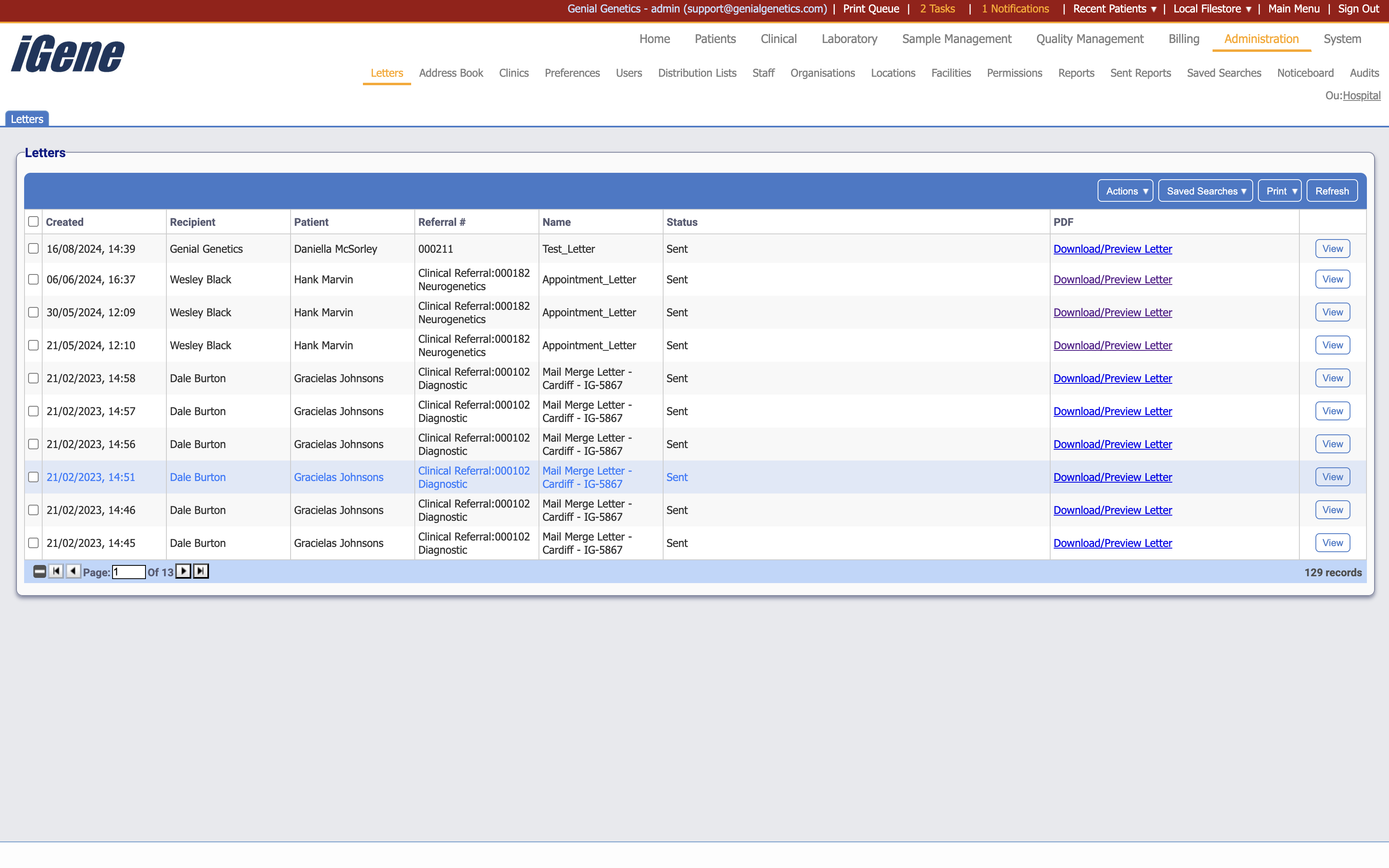
Table Columns
- Created - The date the letter was created.
- Recipient - The name of the recipient.
- Patient - The name of the patient associated with the letter.
- Referral # - The unique number associated with the referral.
- Name - The name of the letter.
- Status - The status of the letter.
- PDF - A link to the PDF of the letter.
- View - A link to open a popup with details of the letter.
Additional actions
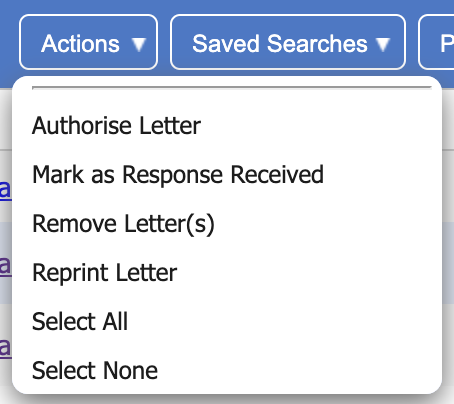
- Authorise Letter - This will mark the letter as authorised and send it to the print queue.
- Mark as Response Received - This will mark the letter as having a response received.
- Remove Letter(s) - This will remove the letter(s) from the list. If a letter is removed, it will not be able to be sent to the print queue.
- Reprint Letter - This will send the letter back to the print queue.
- Select All - This will select all letters in the list.
- Select None - This will deselect all letters in the list.