Distribution Lists
This page of iGene shows all distribution lists stored in the system. This is helpful when creating tasks, as they can be assigned to a distribution list rather than to individual users.
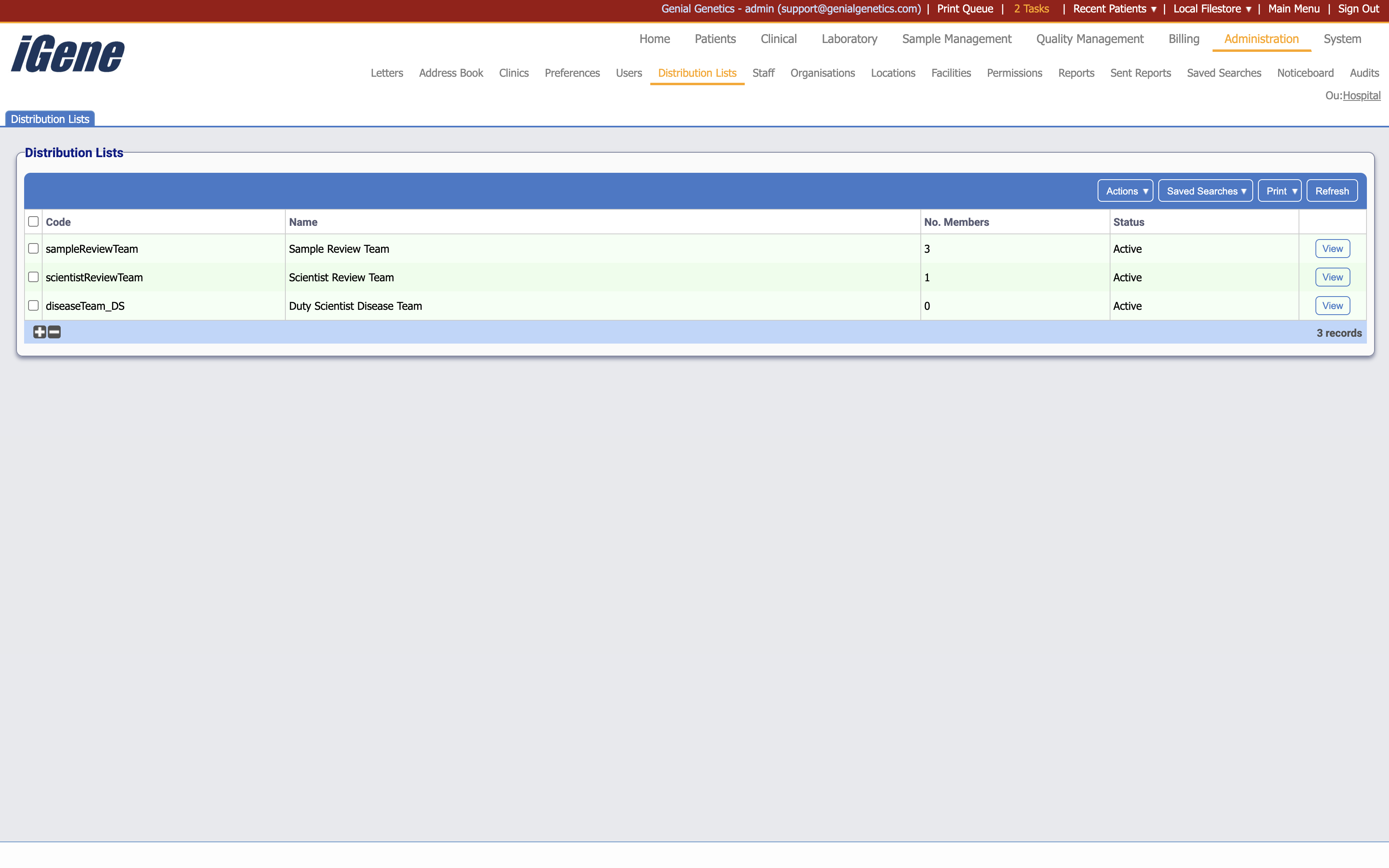
Table Columns
- Code - The unique code associated with the distribution list.
- Name - The name of the distribution list.
- No. Members - The number of members in the distribution list.
- Status - Displays whether the distribution list is active or inactive.
- View - A link to open a page with details of the distribution list. The details can be edited here.
Additional actions
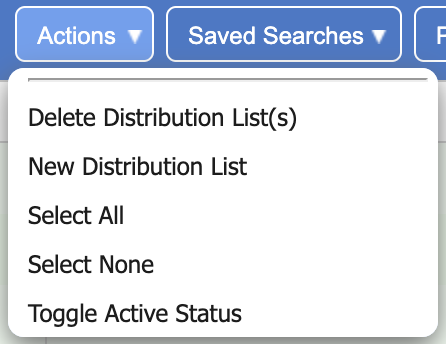
- Delete Distribution List(s) - This will remove the distribution list(s) from the list. If a distribution list is removed, it will not be able to be used in the system.
- New Distribution List - This will open a page to create a new distribution list.
- Select All - This will select all distribution lists in the list.
- Select None - This will deselect all distribution lists in the list.
- Toggle Active Status - This will toggle the active status of the selected distribution lists.