Clinics
This page of iGene shows all clinics stored in the system. This includes the clinic name, the address, and the contact details.
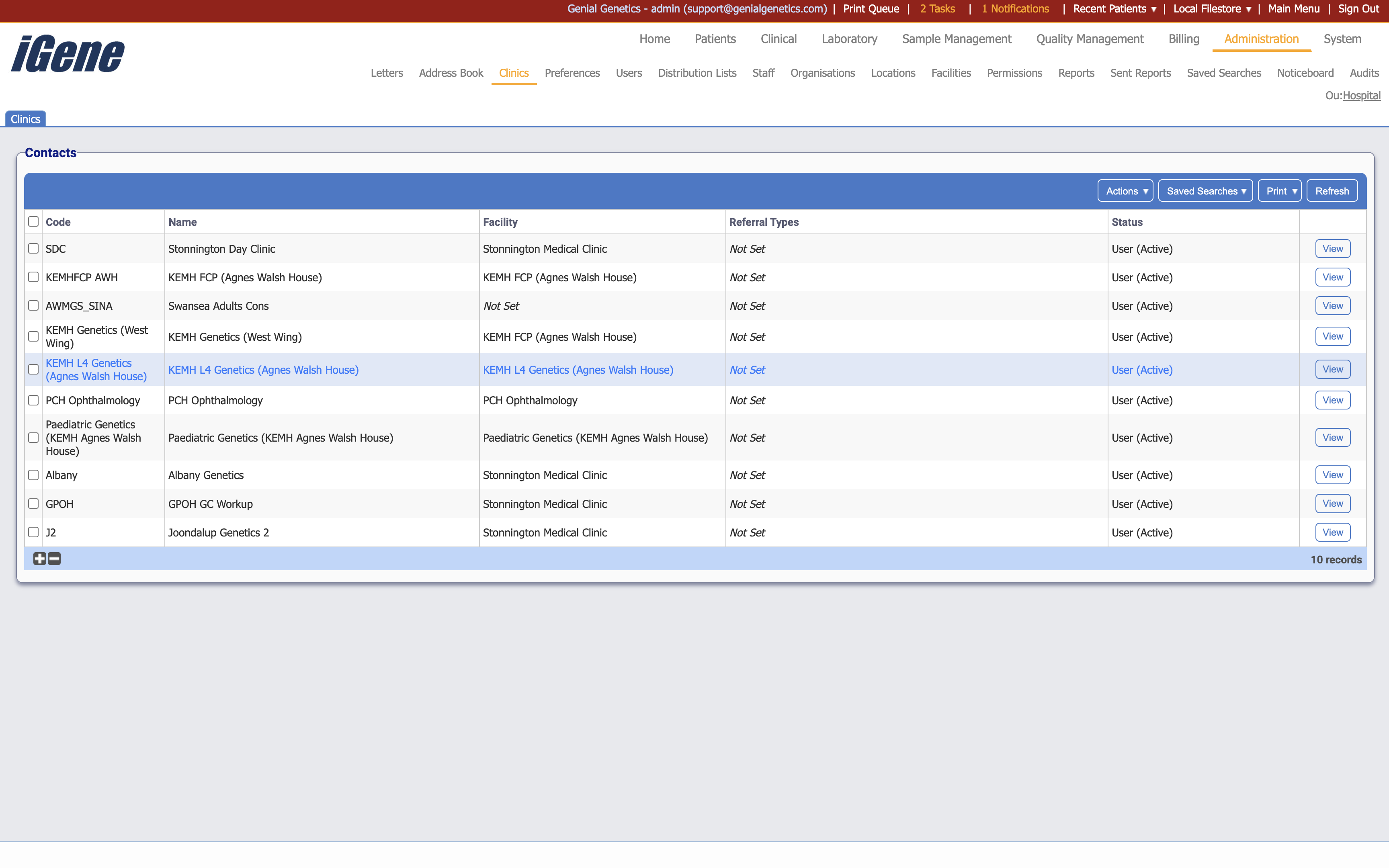
Table Columns
- Code - The unique code associated with the clinic.
- Name - The name of the clinic.
- Facility - The facility the clinic is associated with.
- Referral Types - The referral types the clinic accepts. If not set, it will accept all referral types.
- Status - Displays whether the clinic is active or inactive.
- View - A link to open a page with details of the clinic. The details can be edited here.
Additional actions
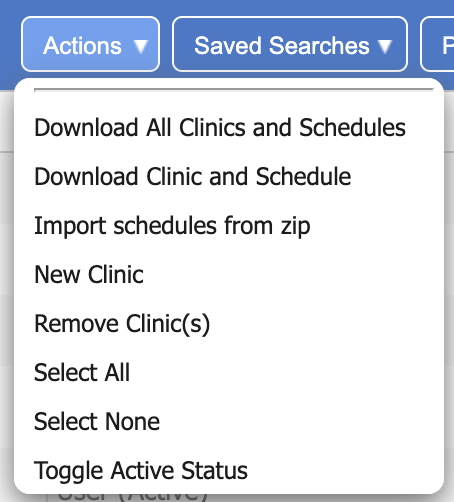
- Download All Clinics and Schedules - This will download a zip file with all clinics and their schedules.
- Download Clinic and Schedule - This will download a CSV file with the single clinic and its associated schedules.
- Import Schedules from Zip - This will import schedules from a zip file. The zip file should contain CSV files with the schedules.
- New Clinic - This will open a page to create a new clinic.
- Remove Clinic(s) - This will remove the clinic(s) from the list. If a clinic is removed, it will not be able to be used in the system.
- Select All - This will select all clinics in the list.
- Select None - This will deselect all clinics in the list.
- Toggle Active Status - This will toggle the active status of the selected clinics.