Sexes
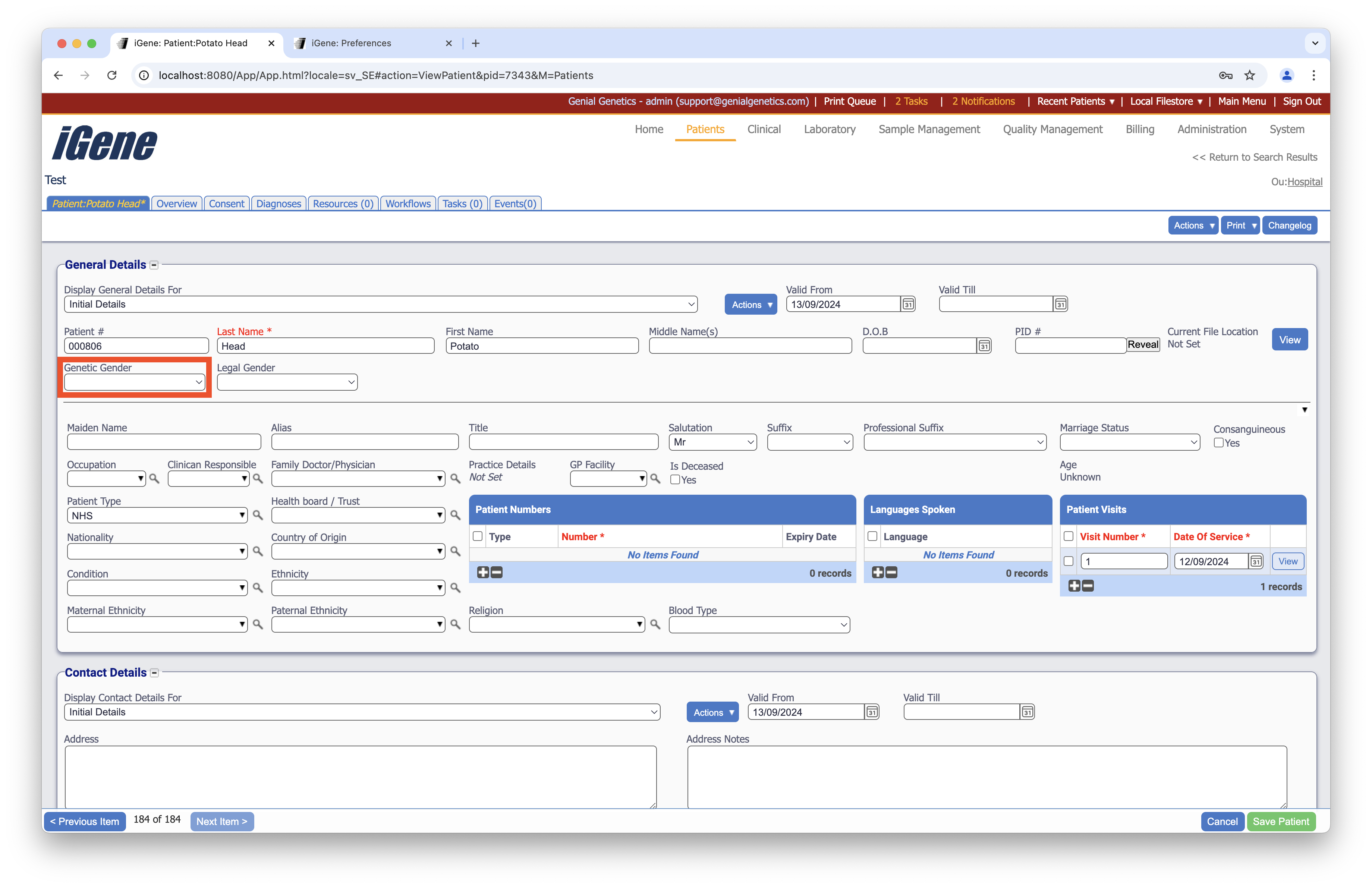
The Sexes preference area is primarily used to record the sex or gender of a patient. It is also used in other areas such as physicians and staff where this information may be used to control the language and grammar used in letters and reports.
Location
The Sexes preference is located under the Administration > Preferences area of iGene.
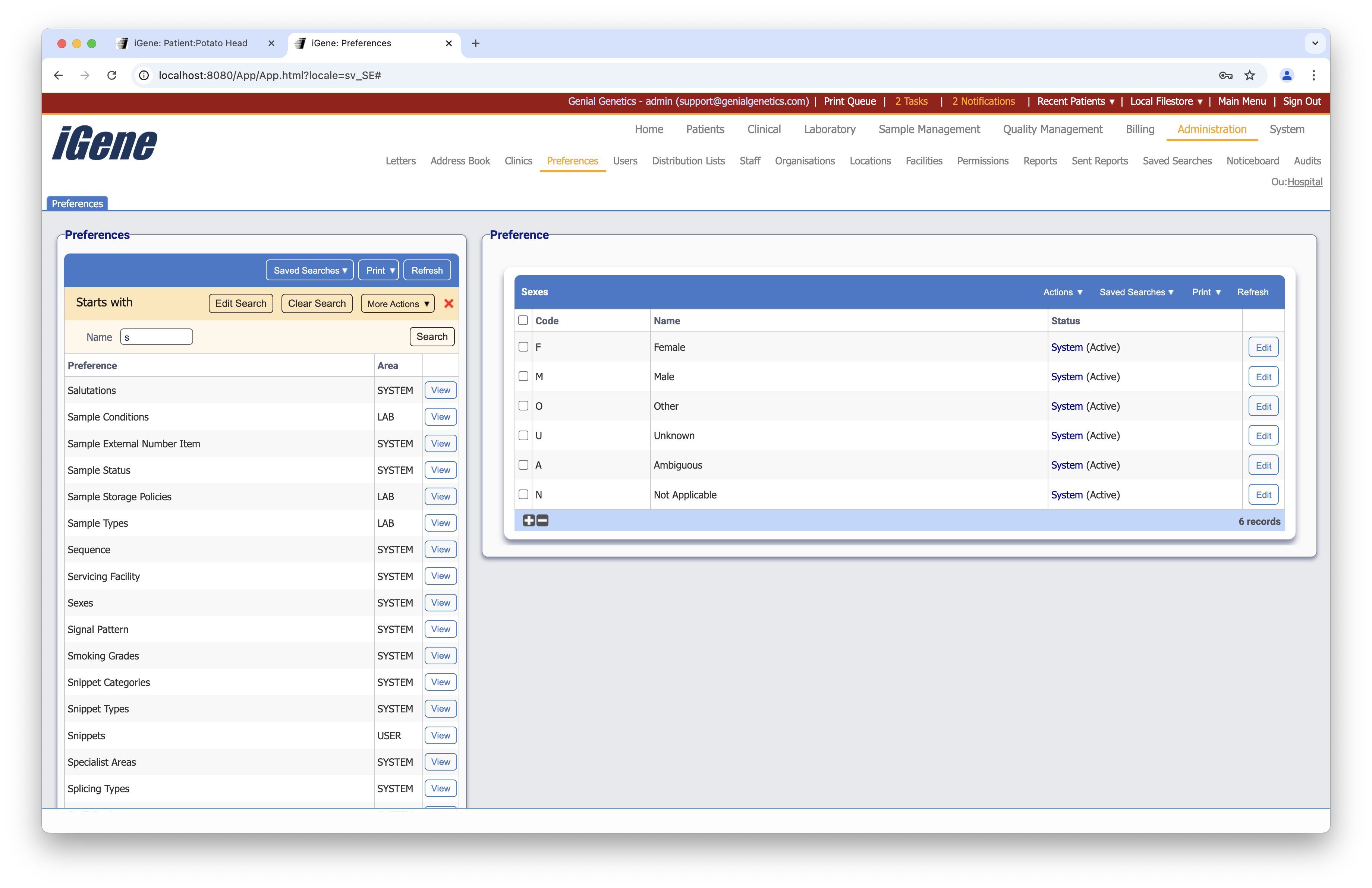
The table for Sexes will display the code, name and the status of the preference.
Configuration
When adding or creating a sex, users are presented with the below table to complete.
Always press Save in the bottom right hand corner of the browser window after adding or editing a preference.
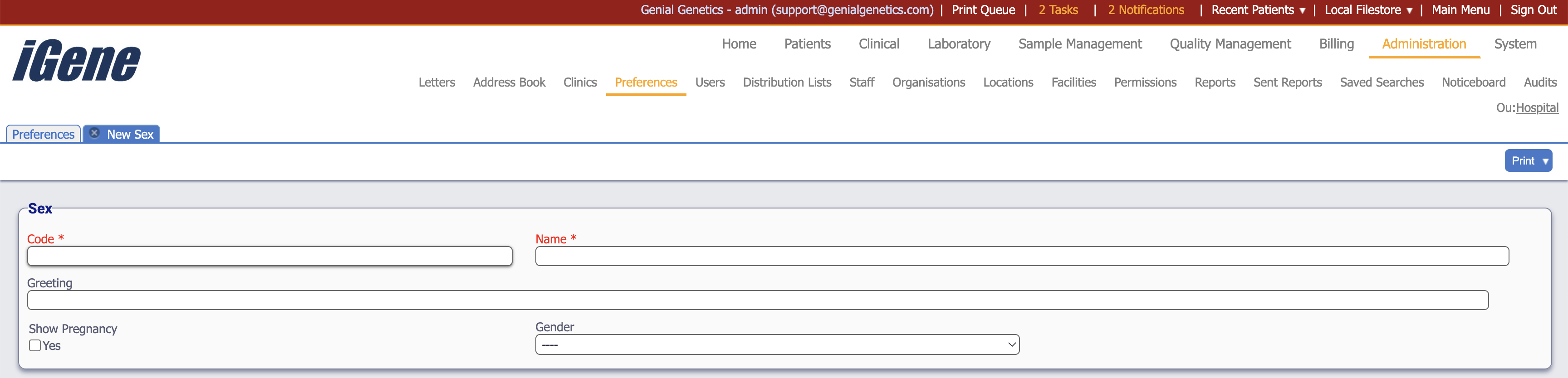
Code (Required, Unique)
The code is a unique short name for the sex. In most cases, users will place the first letter of the sex here, e.g. “F” for female.
Name (Required)
The name field is the display name for the sex.
Greeting
The greeting field is often used in languages that treat greetings differently depending upon a person’s gender. In English, this field is generally left blank and not used. The greeting field on its own has no effect in the application and is generally only used inside custom reports and letters.
Show Pregnancy
The Show Pregnancy checkbox will control whether the pregnancy recording features in the patient details screen are available for patients who have this gender.
Gender
The Gender dropdown box is used to indicate the English variation of the sex. This field is used to control various features in the application based on a patient’s gender: