Report Statuses
The Report Statuses preference is used to record a list of report statuses in the system. These are found when creating a report for a patient. The choice of values are selected using an autocomplete or dropdown list.
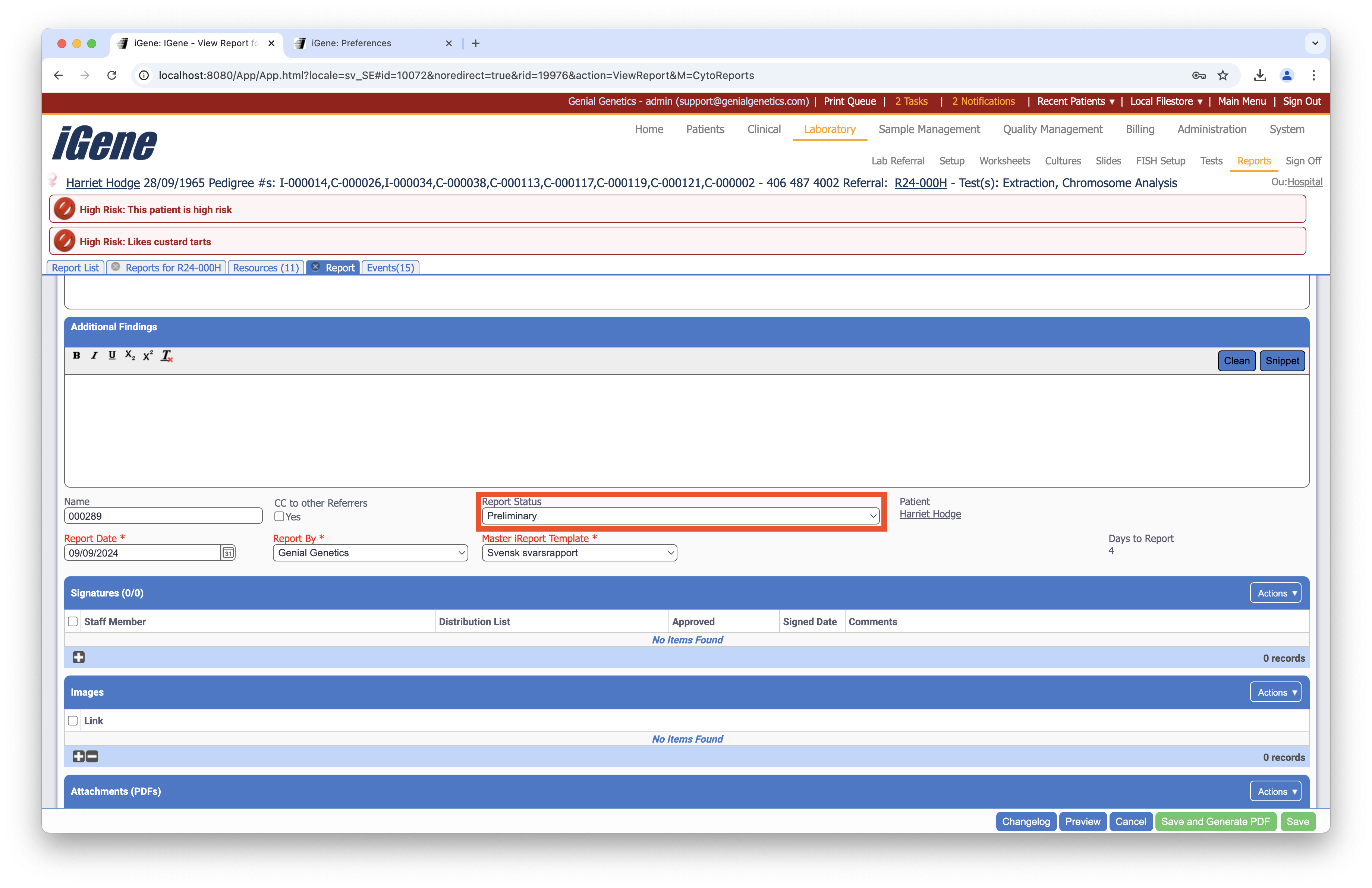
Location
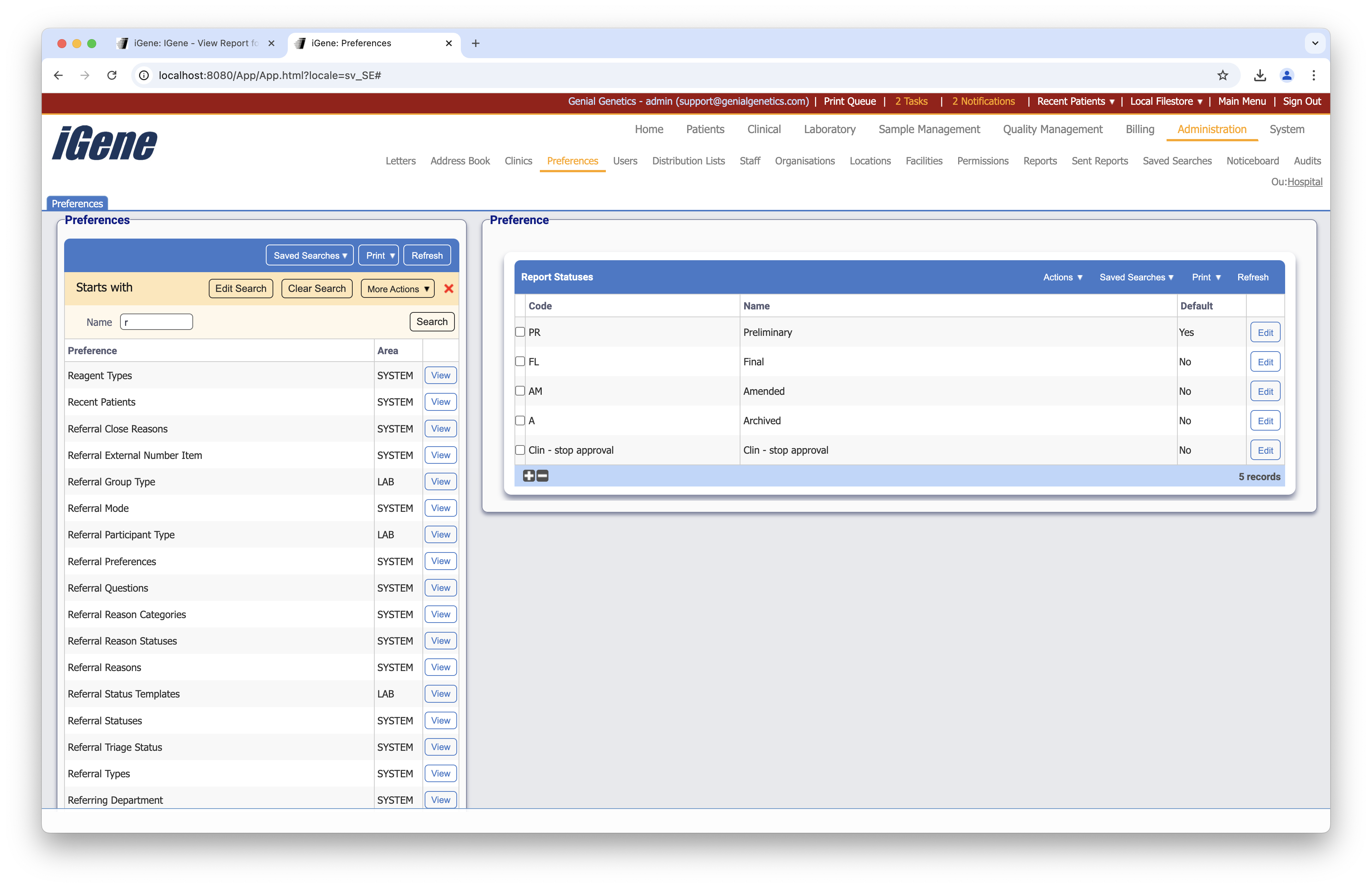
The table of Report Statuses will display the code, name, and default status for the report status.
Configuration
When adding or editing a report status, users are presented with the below form to complete. Always press Save in the bottom right-hand corner of the browser after adding or editing a report status.
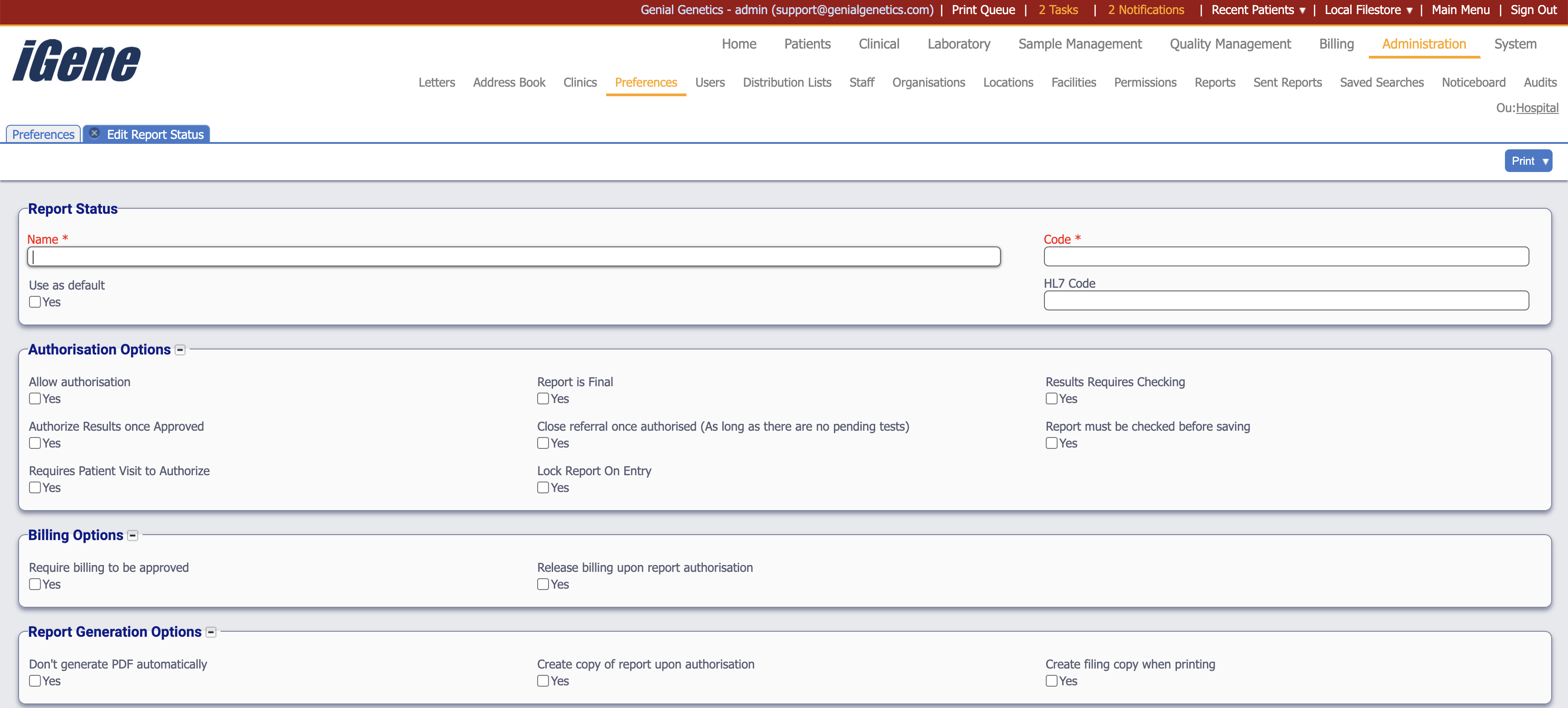
Name (Required)
A name for the report status. It is advisable to keep this unique.
Code (Required, Unique)
A unique code for the report status. This can be the same as the name but must be unique throughout the entire system.
Use as Default
A checkbox to indicate if the report status should be the default status when creating a new report.
HL7 Code
A code that is used to identify the report status in HL7 messages. This is used when sending reports to external systems.
Authorisation Options
Allow Authorisation
A checkbox to indicate if the report status allows authorisation. If this is not checked, users will not be able to authorise a report with this status.
Report is Final
A checkbox to indicate if the report status is final. If this is checked, the report will be considered final and no further changes can be made.
Results Requires Checking
A checkbox to indicate if the report status requires checking. If this is checked, the report will need to be checked before it can be authorised.
Authorise Results Once Approved
A checkbox to indicate if the report status will automatically set the report to authorised once it has been approved.
Close Referral Once Authorised
A checkbox to indicate if the report status will automatically close the referral once the report has been authorised.
Report Must Be Checked Before Saving
A checkbox to indicate if the report status requires the report to be checked before it can be saved.
Requires Patient Visit To Authorise
A checkbox to indicate if the report status requires a patient visit to authorise. If this is checked, the report will not be able to be authorised until a patient visit has been recorded.
Lock Report On Entry
A checkbox to indicate if the report status will lock the report once it has been entered. If this is checked, other users will not be able to view the report until it has been saved and unlocked.
Billing Options
Require Billing To Be Approved
A checkbox to indicate if the report status requires billing to be approved. If this is checked, the report will not be able to be authorised until the billing has been approved.
Require Billing Upon Authorisation
A checkbox to indicate if the report status requires billing to be completed upon authorisation. If this is checked, the billing will need to be completed before the report can be authorised.
Report Generation Options
Don’t generate PDF automatically
A checkbox to indicate if the report status will not automatically generate a PDF when the report is saved. If this is checked, the PDF will need to be manually generated.
Create Copy of Report Upon Authorisation
A checkbox to indicate if the report status will create a copy of the report upon authorisation. If this is checked, a copy of the report will be created and saved.
Create Filing Copy When Printed
A checkbox to indicate if the report status will create a filing copy when the report is printed. If this is checked, a copy of the report will be saved for filing.