Referral Preferences
The Referral Preferences section is used to define generic preferences for the referral module. These preferences are used to configure the system to suit the needs of the user.
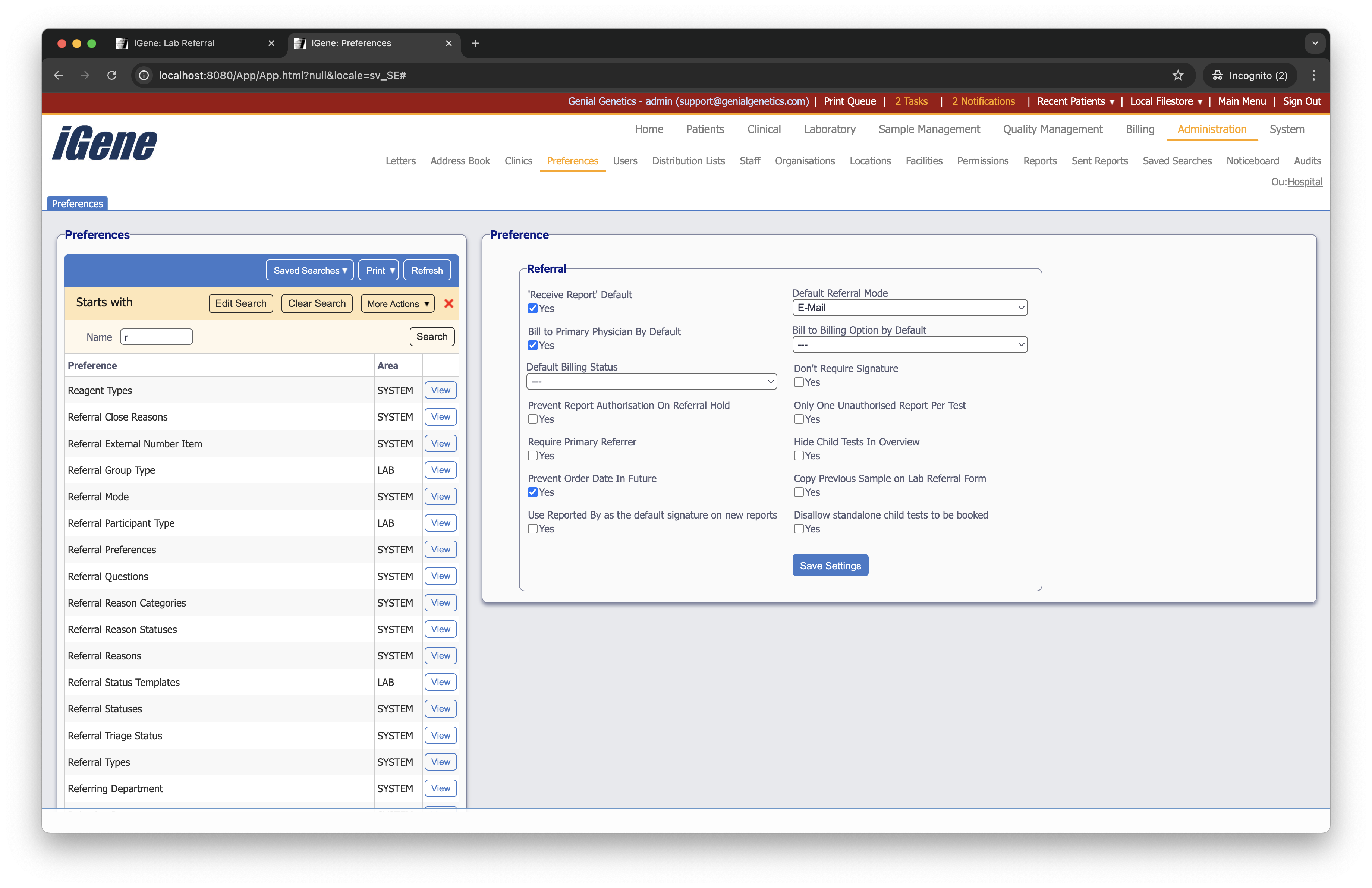
‘Receive Report’ Default
A checkbox to set ‘Receive Report’ as automatically checked when adding a referring physician to a referral.
Default Referral Mode
A dropdown list to set the default referral mode when adding a new clinical referral.
Bill to Primary Physician By Default
A checkbox to automatically bill the primary physician when adding a new clinical referral.
Bill to Billing Option By Default
A dropdown list to set the default billing option when adding a new clinical referral.
Default Billing Status
A dropdown list to set the default billing status when adding a new clinical referral.
Don’t Require Signature
A checkbox to not require a signature when adding a new clinical referral.
Prevent Report Authorisation On Referral Hold
A checkbox to prevent report authorisation when a referral is on hold.
Only One Unauthorised Report Per Test
A checkbox to only allow one unauthorised report per test.
Require Primary Referrer
A checkbox to require a primary referrer when adding a new clinical referral.
Hide Child Tests In Overview
A checkbox to hide child tests in the referral overview.
Prevent Order Date In Future
A checkbox to prevent the order date from being in the future.
Copy Previous Sample On Lab Referral Form
A checkbox to copy the previous sample on the lab referral form.
Use Reported By as the default signature on new reports
A checkbox to use the ‘Reported By’ field as the default signature on new reports.
Disallow standalone child tests to be booked
A checkbox to disallow standalone child tests to be booked.