Print Templates
The Print Templates preference is used to record a list of print templates in the system. These are found when printing labels for a patient. The choice of values are selected using an autocomplete or dropdown list.
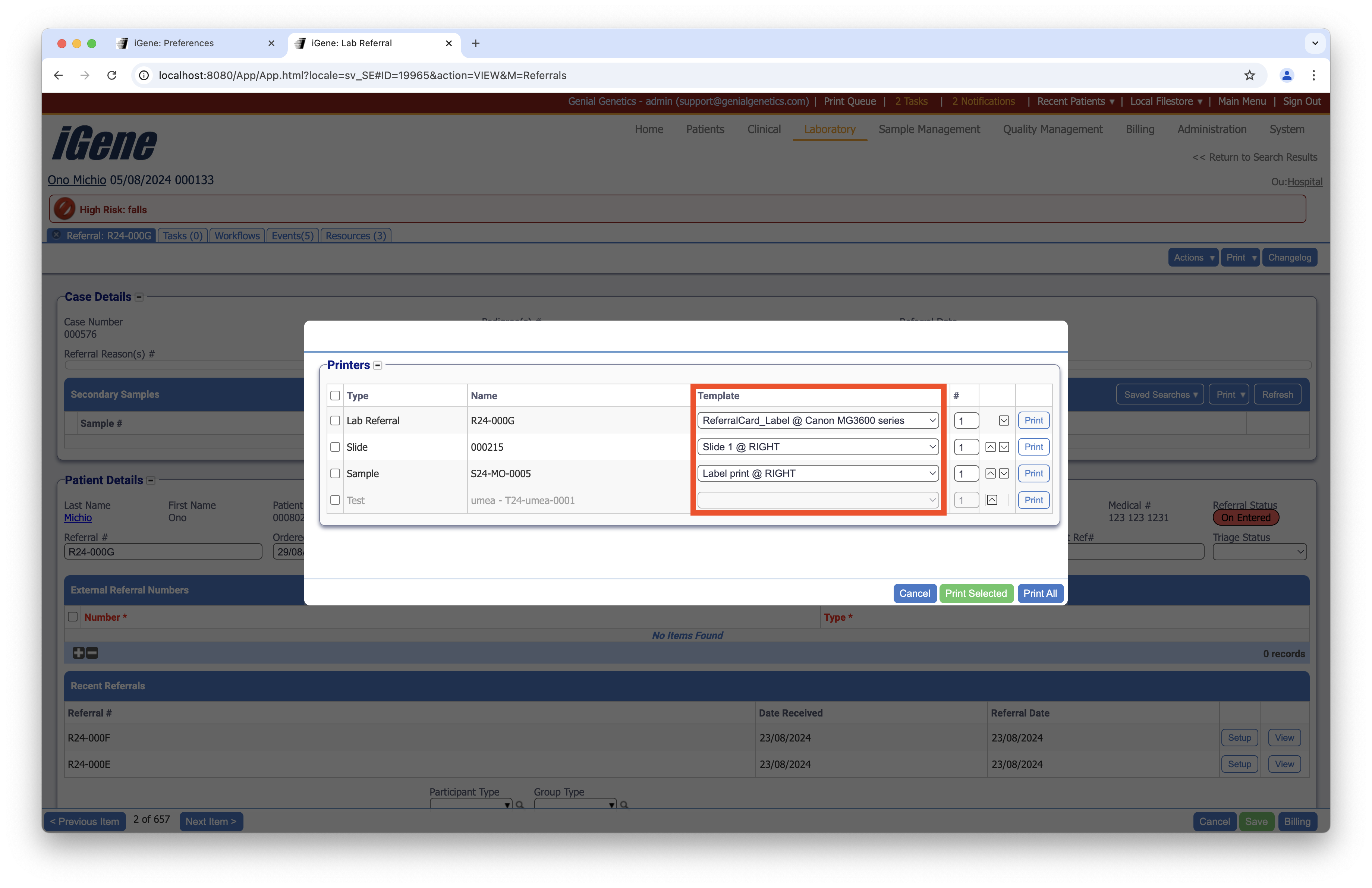
Location
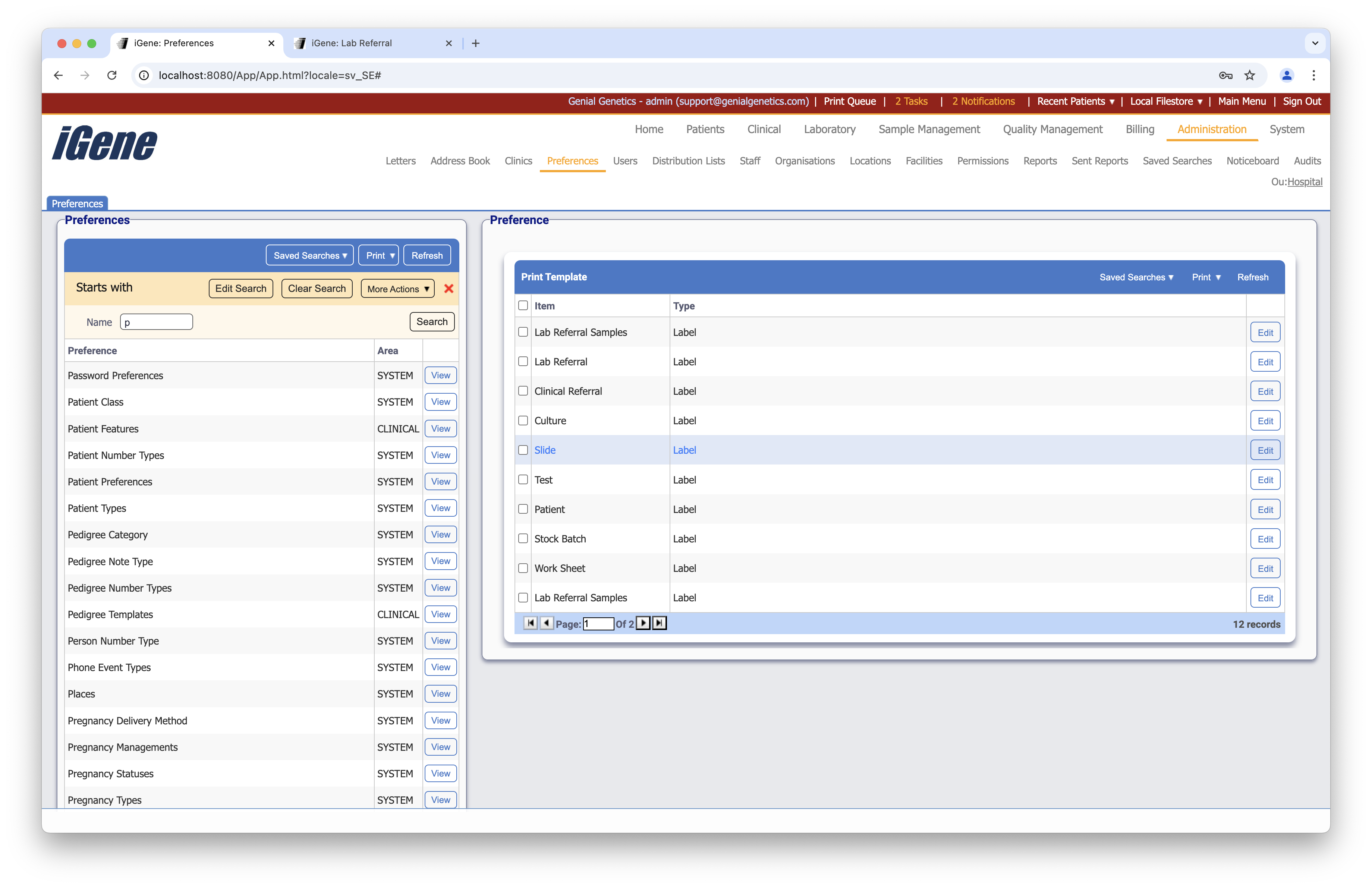
The table of Print Templates will display the item and type for the print template.
Configuration
When adding or editing a print template, users are presented with the below form to complete. Always press Save in the bottom right-hand corner of the browser after adding or editing a print template.
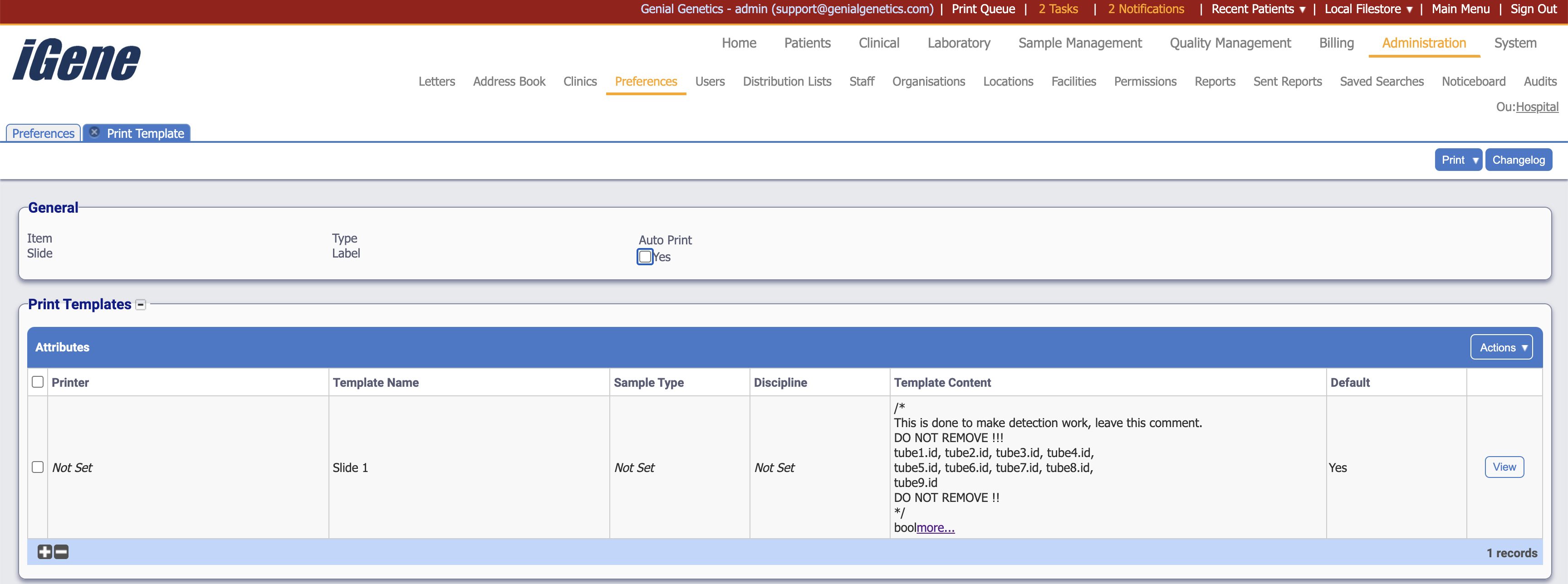
Item
The item to be printed on the label. These are set within the system and cannot be changed.
Type
The type of label to be printed. These are set within the system and cannot be changed.
Auto Print
A checkbox to automatically print the label when applicable. If this is not checked, the user will need to manually click the Print Label(s) button to print the label.
Attributes
The table where printing options are set for the item. Adding a new row will direct the user to a new screen where the options can be set.
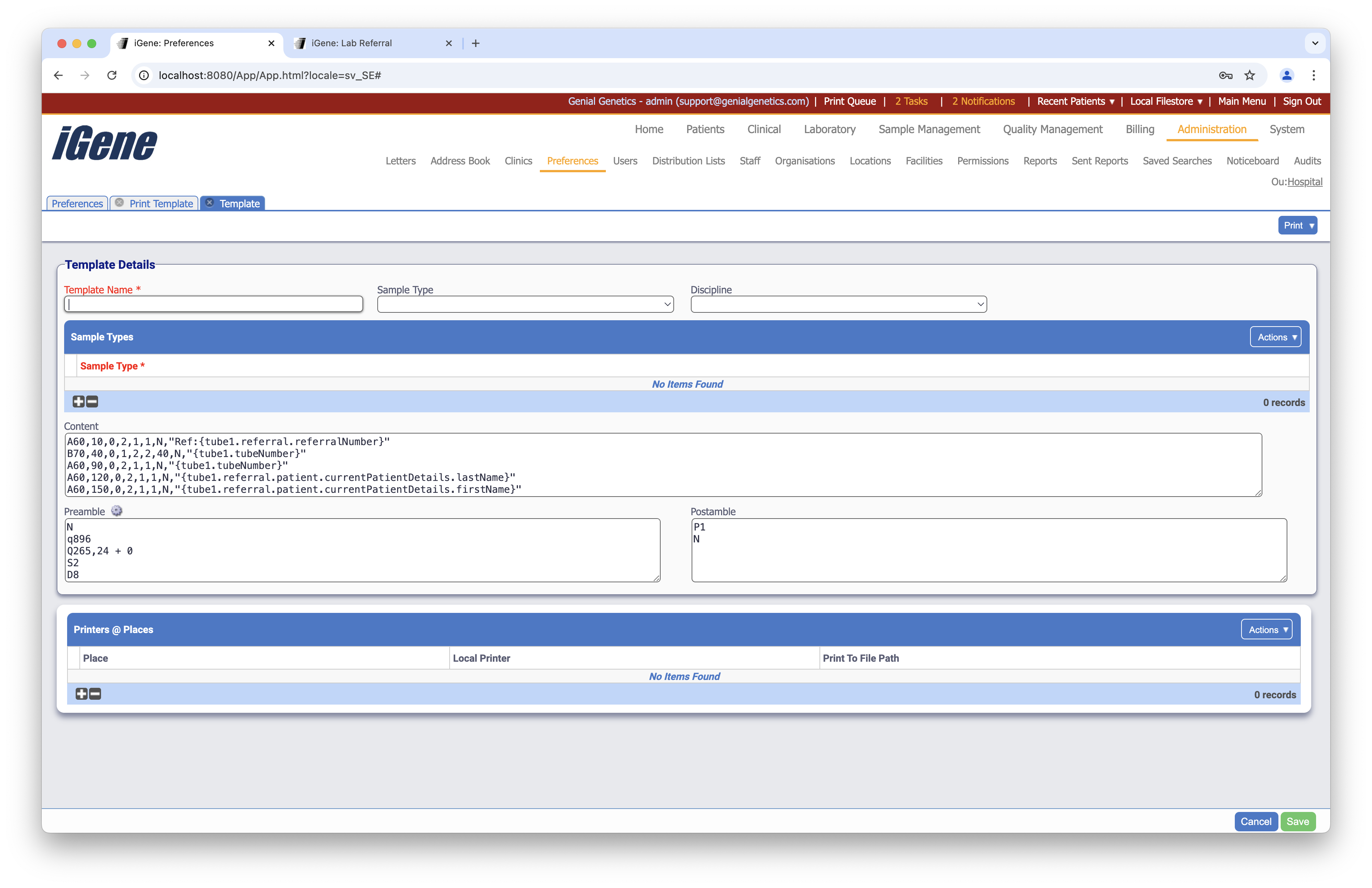
Template Name
The name of the template.
Sample Type
The sample type for the template.
Discipline
The discipline for the template.
Sample Types
The table where sample types are set for the item.
Content
The content for the template. This is written in Groovy and can be used to set the content of the label. The content can be set to be static or dynamic.
Preamble
The preamble for the template. This is written in Groovy and can be used to set the preamble of the label. The preamble can be set to be static or dynamic.
Postamble
The postamble for the template. This is written in Groovy and can be used to set the postamble of the label. The postamble can be set to be static or dynamic.
Printers @ Places
The table where printers and places are set for the item.
Place
A dropdown list to select the place for the printer.
Local Printer
A dropdown list to select the local printer for the place.
Print To File Path
A text field to set the file path where items will be printed.