Nomenclatures
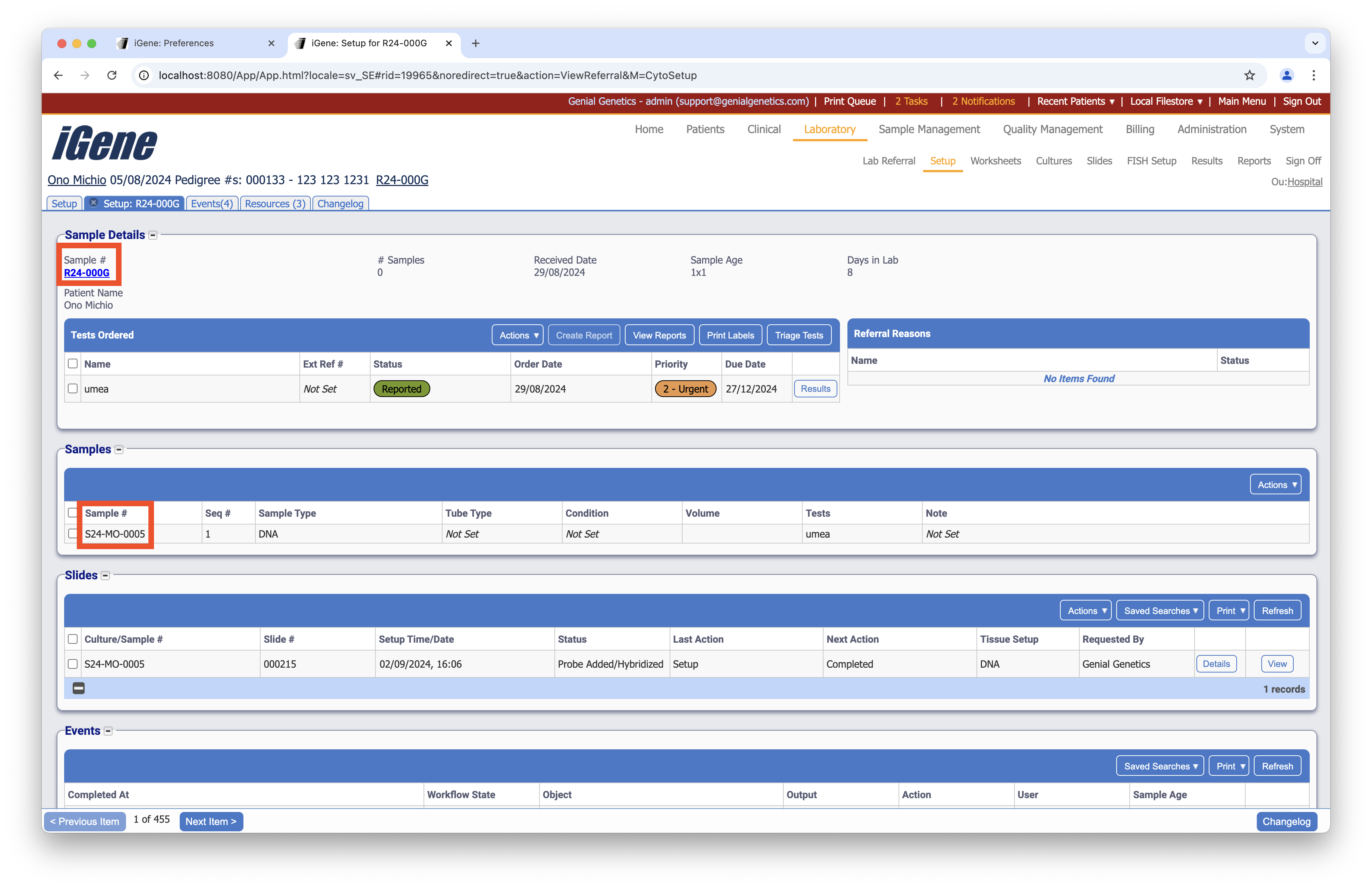
The Nomenclatures preference is used to record a list of nomenclatures in the system. These are found throughout the app, wherever a code needs generating. The below screenshot shows two examples: the referral number and the sample number.
Location
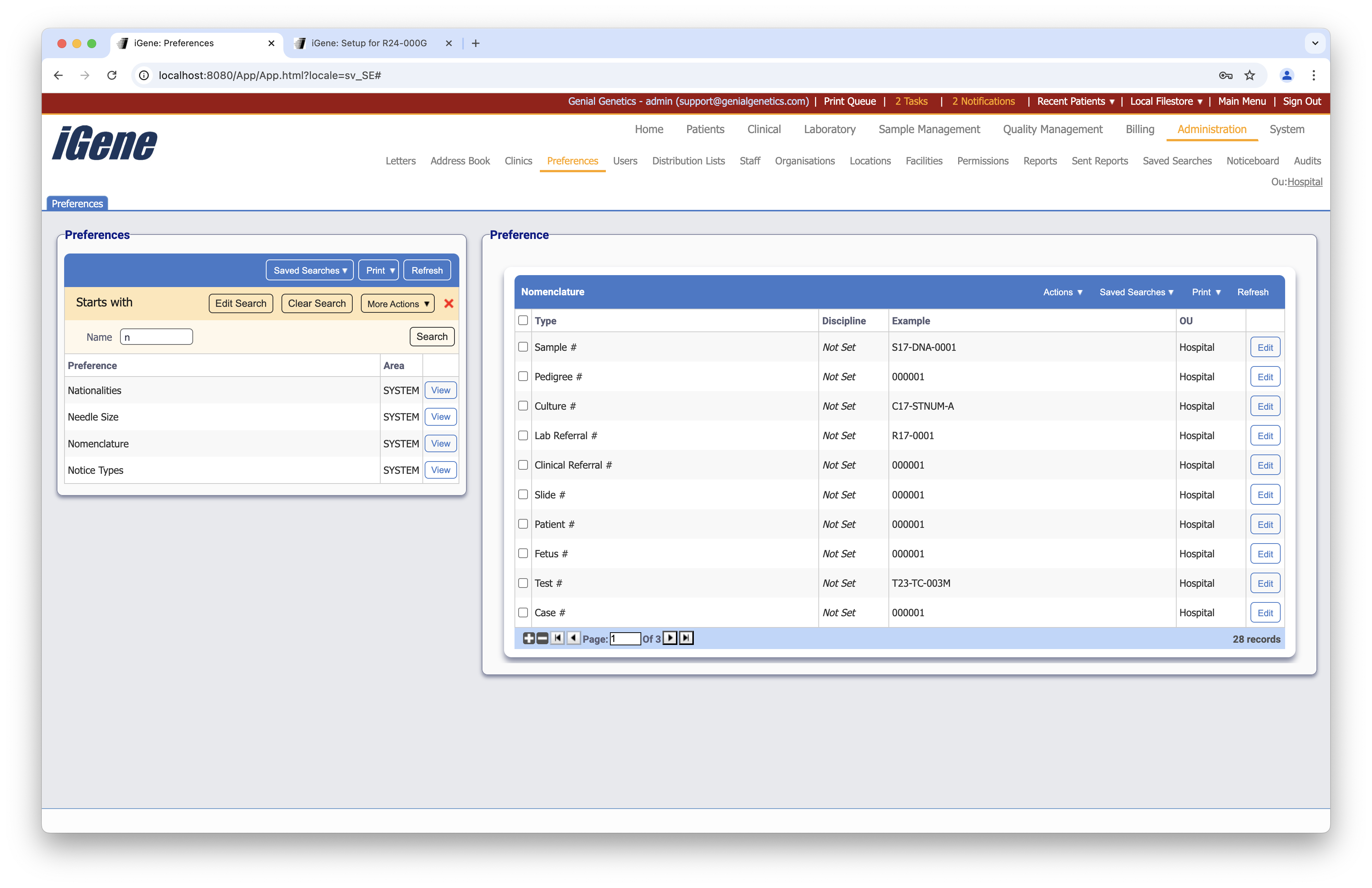
The table of Nomenclatures will display the code, discipline, an example, and the OU for the nomenclature.
Configuration
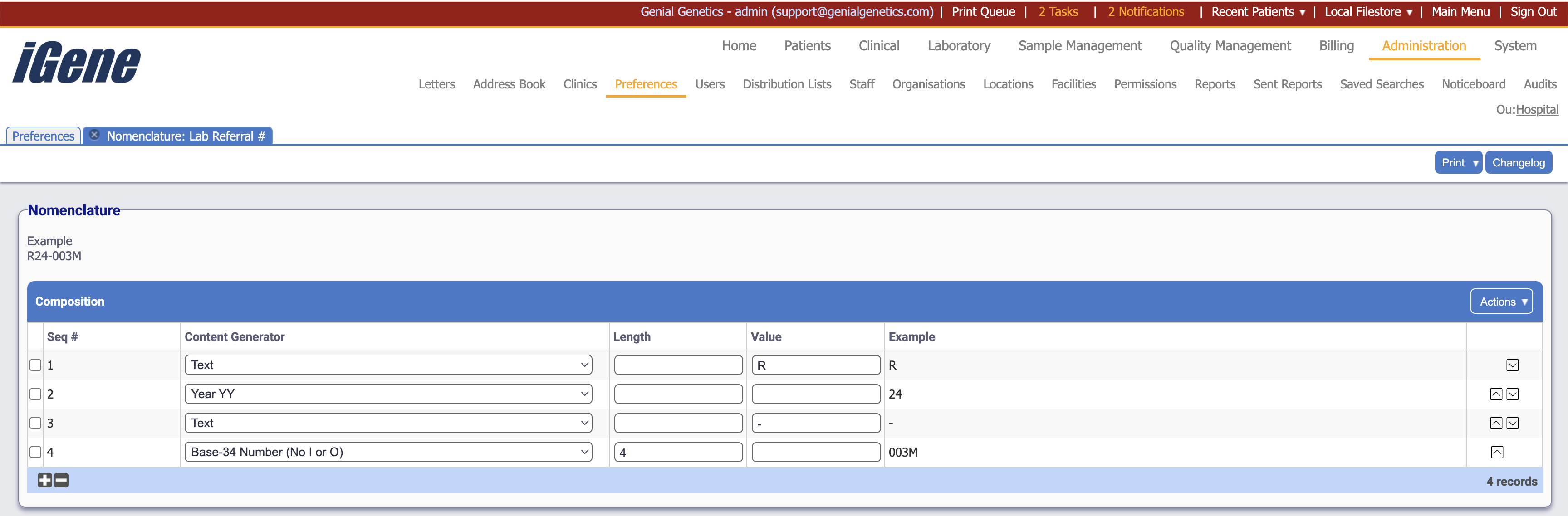
When adding or editing a nomenclature, users are presented with the below form to complete. Always press Save in the bottom right-hand corner of the browser after adding or editing a nomenclature.
Composition
This table defines how the nomenclature is composed, after selecting where the nomenclature will be assigned.
Seq
The sequence number of the composition. This is used to order the composition.
Content Generator
A dropdown list of the content generators available in the system. This is used to generate the content for the nomenclature. This can include static text, such as where we see the letter ‘R’ and the ‘-’ in the referral number example. It can also include dynamic content, such as the year in the sample number example.
Length
The length of the content generated by the content generator. This is used to determine the length of the nomenclature. This is only required if the length is not defined already by the content generator.
Value
If the content generator is a static value, this is where the value is entered. If the content generator is dynamic, this field is not required.
Example
An example of the nomenclature generated by the composition. This is used to show the user what the nomenclature will look like.