Fish Result Types
The Fish Result Types preference is used to record a list of fish result types in the system. These are found on the results screen for a FISH test that has an associated probe. The choice of values are selected using an autocomplete or dropdown list.
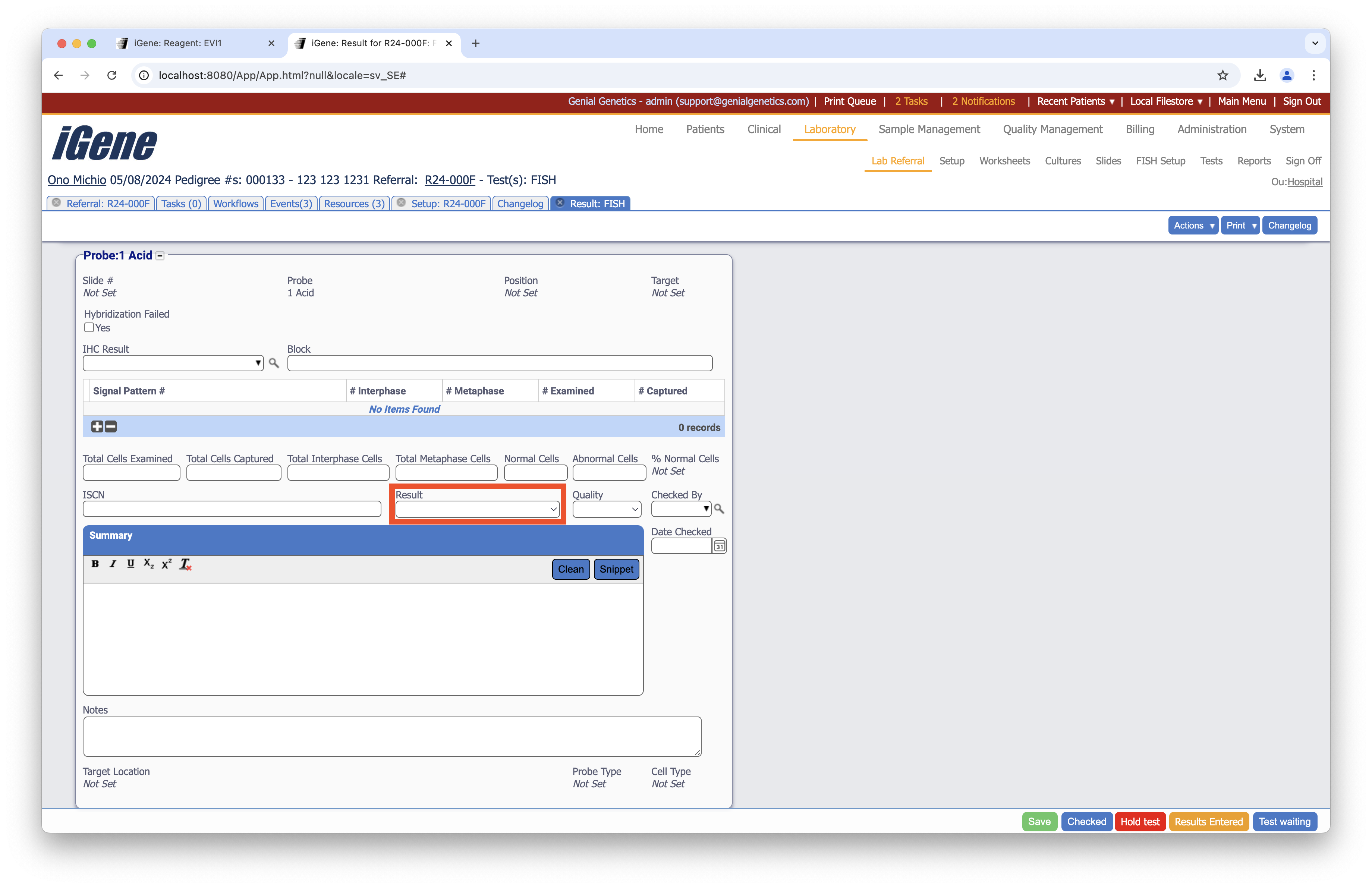
Location
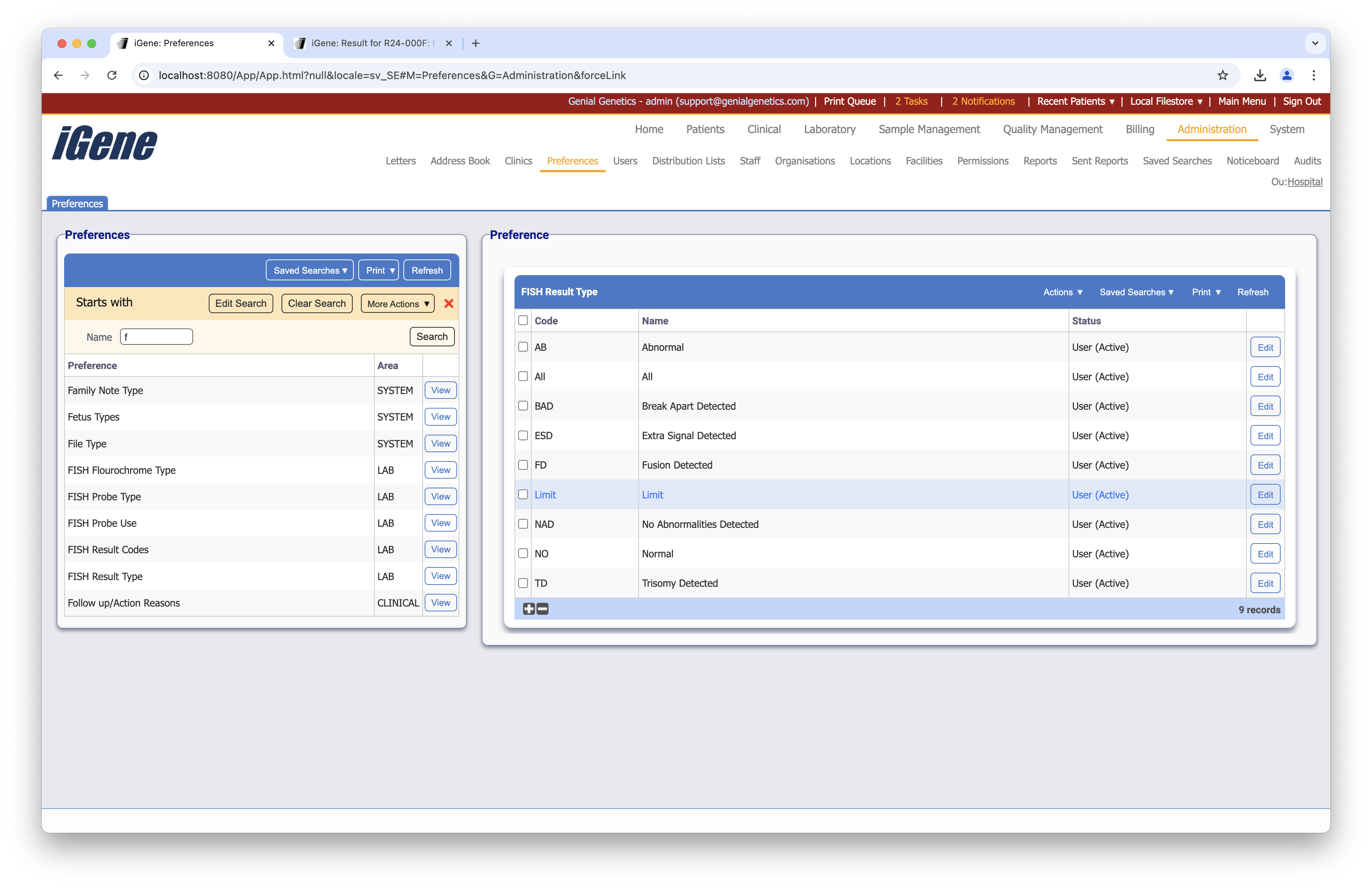
The table of Fish Result Types will display the code, name, and status for the fish result type.
Configuration
When adding or editing a fish result type, users are presented with the below form to complete. Always press Save in the bottom right-hand corner of the browser after adding or editing a fish result type.
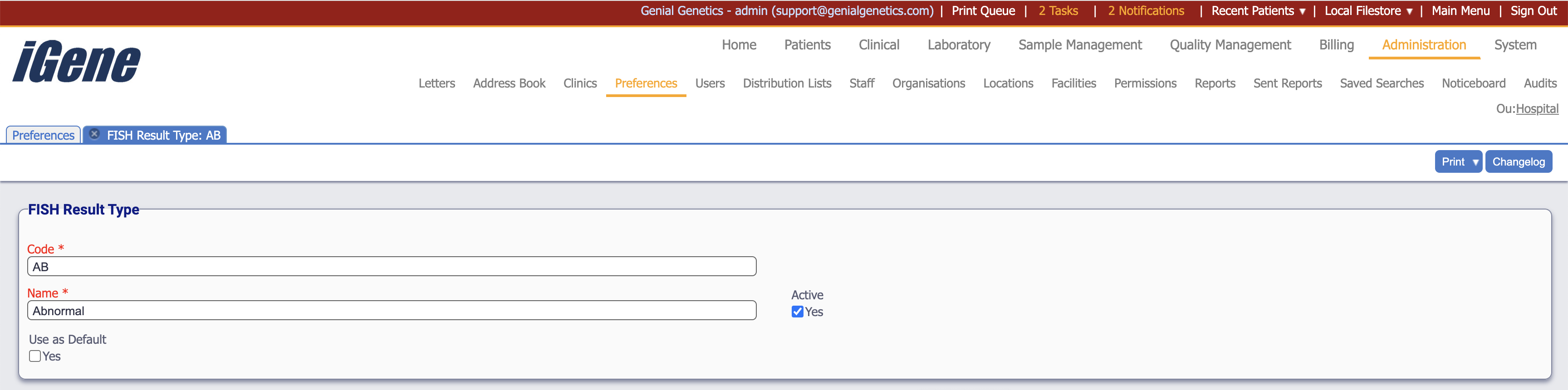
Code (Required, Unique)
A unique code for the fish result type. This can be the same as the name but must be unique throughout the entire system.
Name (Required)
A name for the fish result type. It is advisable to keep this unique.
Active
A checkbox to activate/deactivate an entry. If the preference is not active, it will not be selectable in any drop-down lists.
Use as Default
A checkbox to set the fish result type as the default.