Ethnicities
The Ethnicities preference is used on a patient in order to distinguish the ethnicity of the individual. This information is of particular use as some ethnicities are more prone to certain mutations. An example of an ethnicity could be ‘Caucasian’.
Ethnicities are displayed on the patient demographics screen.
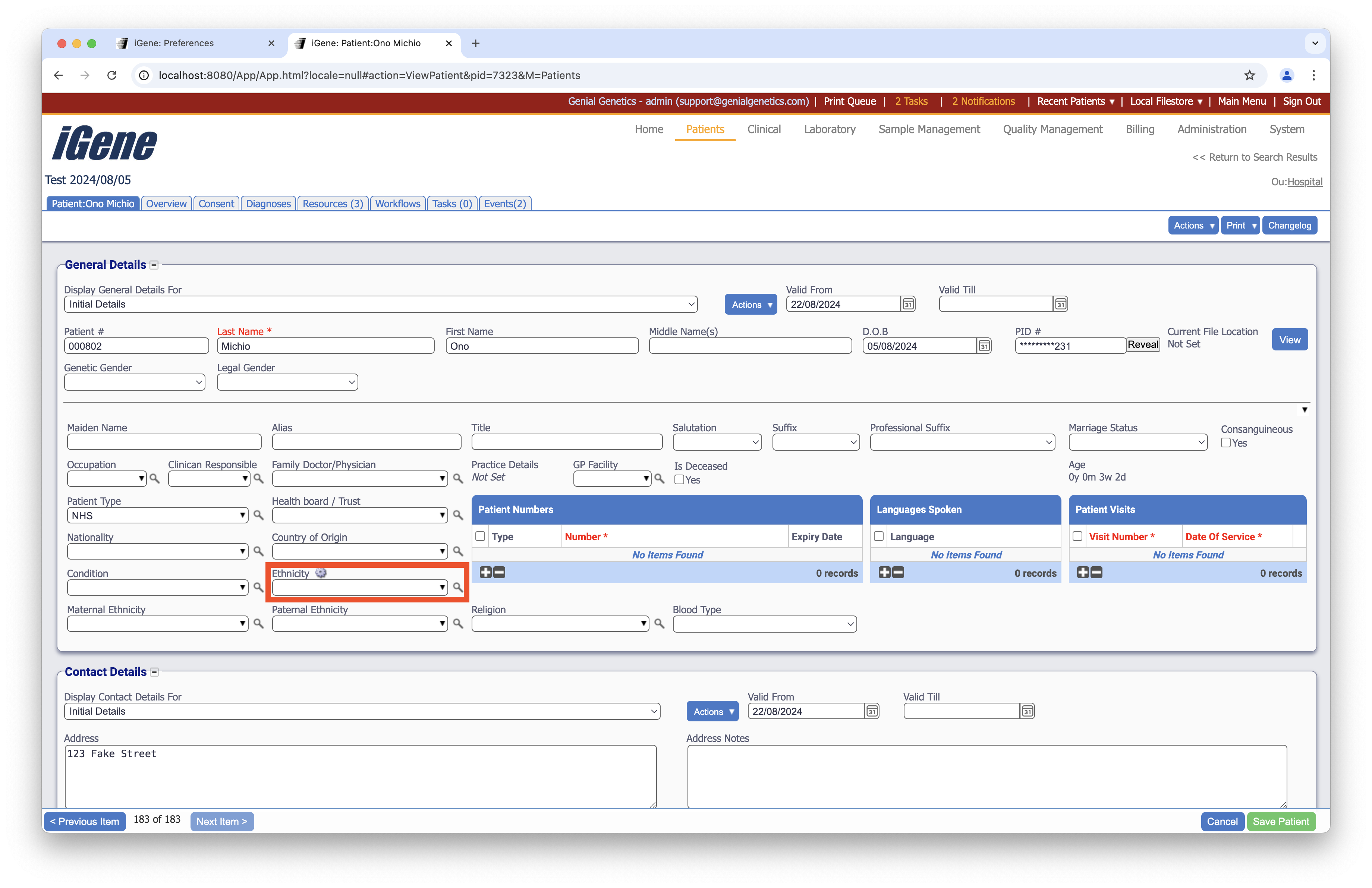
Location
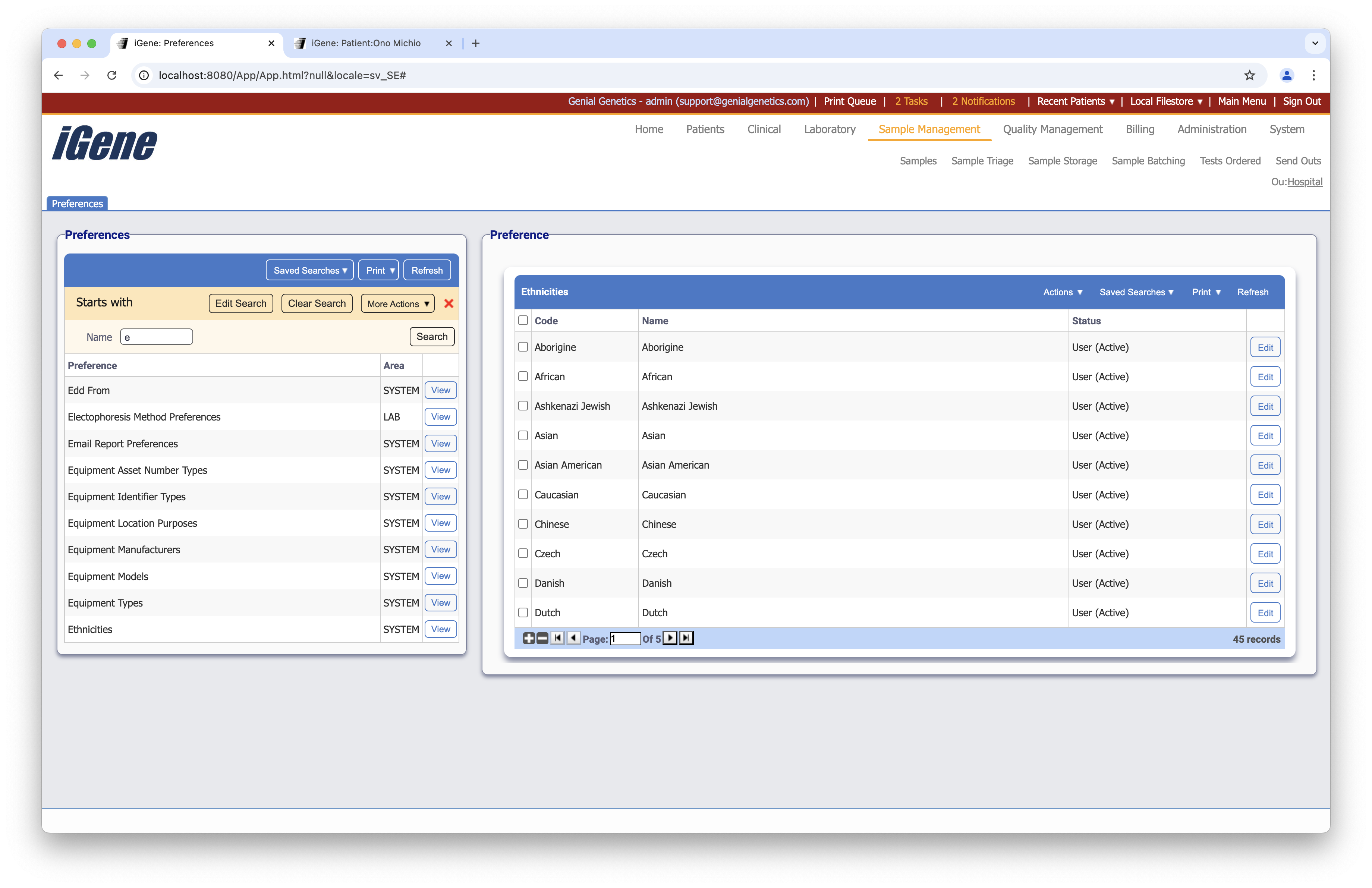
The table of ethnicities will display the code, name and status for the ethnicity.
Configuration
When adding or editing an ethnicity, users are presented with the following form to complete.
Always press Save in the bottom right hand corner of the browser after adding or editing an Ethnicity.
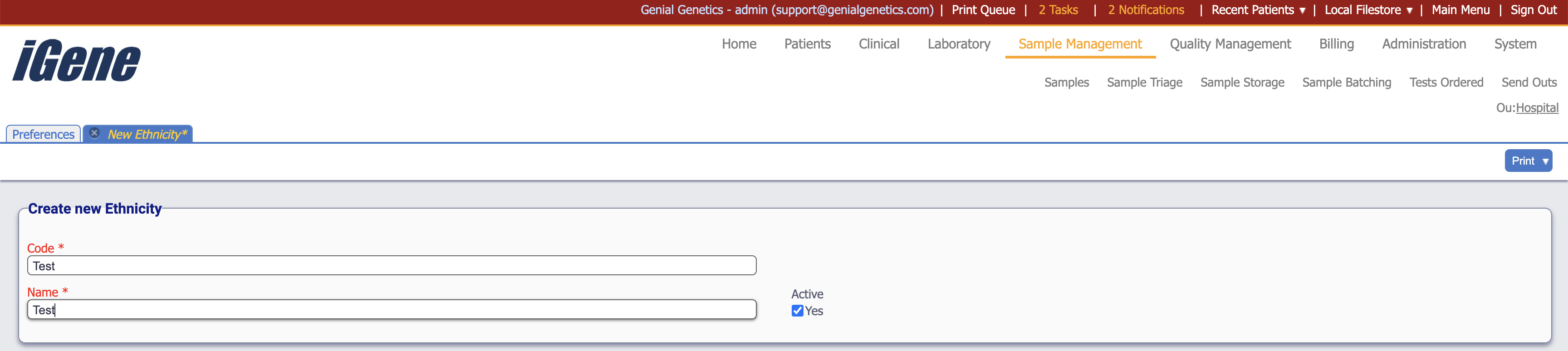
Code
(Required, Unique)
A unique code for the ethnicity. This can be the same as the name but must be unique throughout the entire system.
Name
(Required)
A name for the preference. It is advisable to keep this unique.
Active
A checkbox to activate/deactivate an ethnicity. If the preference is not active, it will not be able to be selected for future patients but it will show for exisitng patients.