Call Durations
The Call Durations preference is simply a list of call times. They can be added to Phone Events.
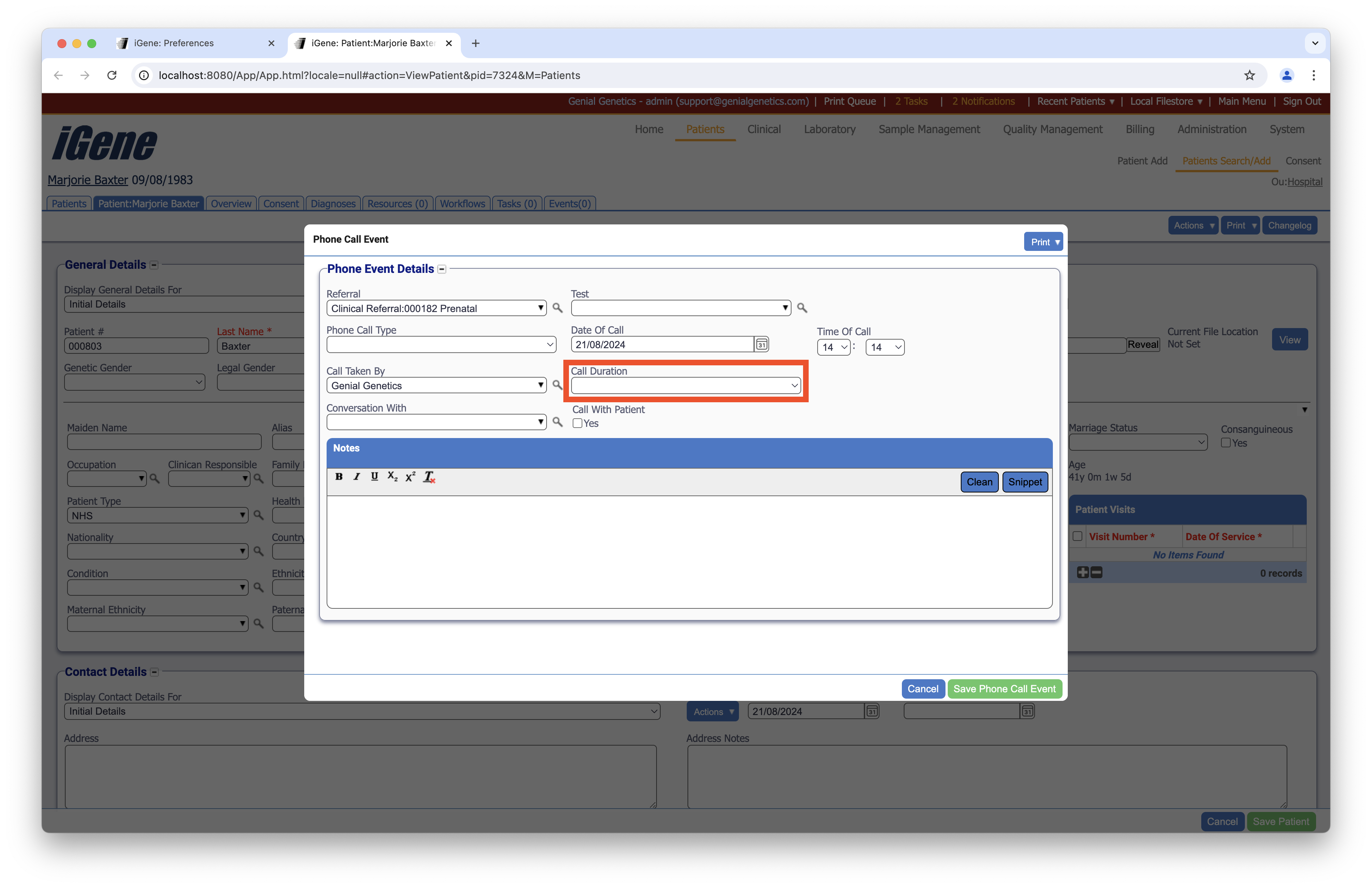
Location
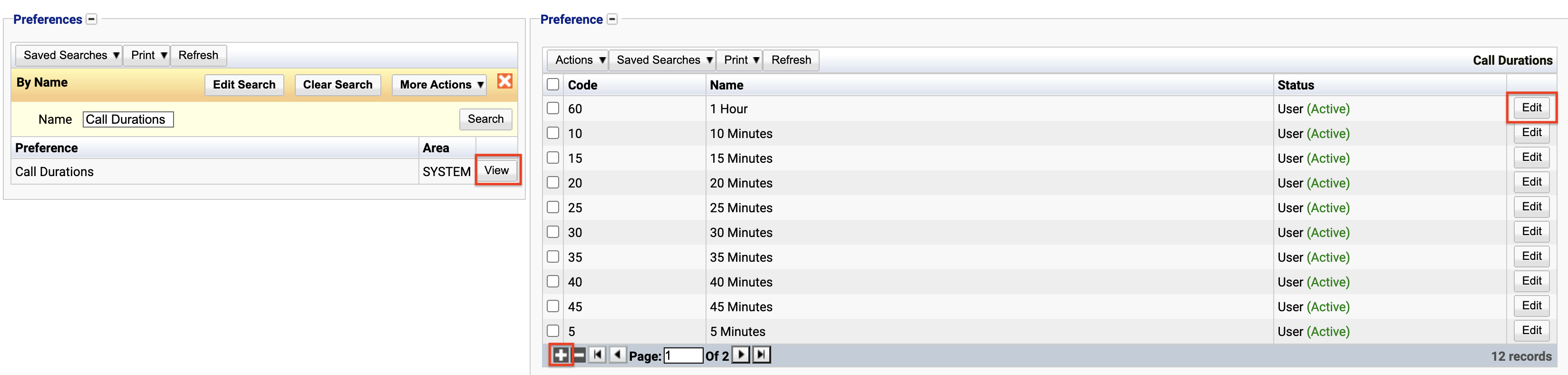
The table for Call Durations will display the code, name and the status.
Configuration
When adding or editing a Call Duration, the following form opens to complete.
Always press Save in the bottom right hand corner of the browser after adding or editing Call Durations.
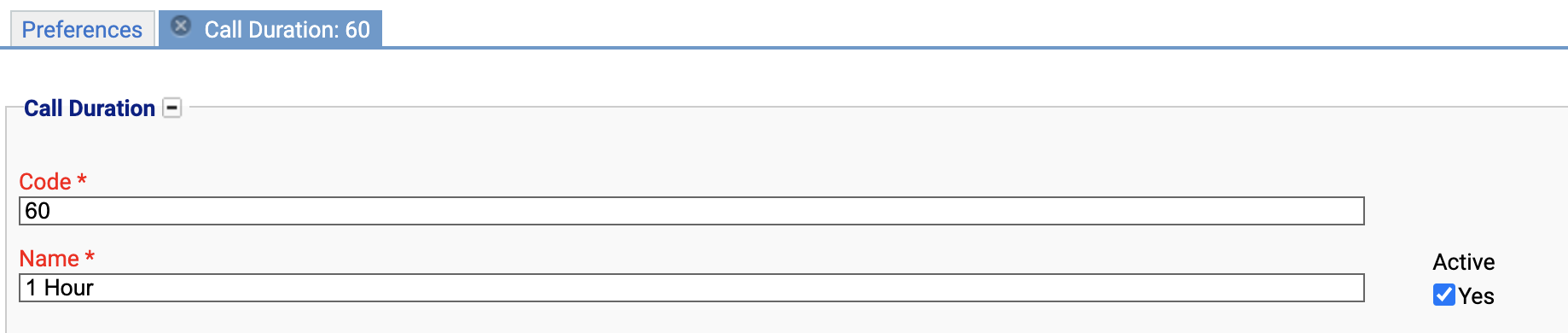
Code
(Required, Unique)
A unique code for the Call Duration. This can be the same as the name but must be unique throughout the entire system.
Name
(Required)
A name for the preference. It is advisable to keep this unique.
Active
A checkbox to activate / deactivate an entry. If the preference is not active, it will not be selectable in any drop down lists.
Deactivating / Activating
Each item has an active status that specifies whether the item is available for selection. When deactivating an item, it will no longer appear in autocomplete lists for selection, but will still be displayed on any records that continue to use it.
To deactivate (or reactivate) a Call Duration, either:
- Untick the Active checkbox inside the preference and Save.
Or
- Right-click on the required entry in the table and select Toggle Active Status. Click Yes when prompted.
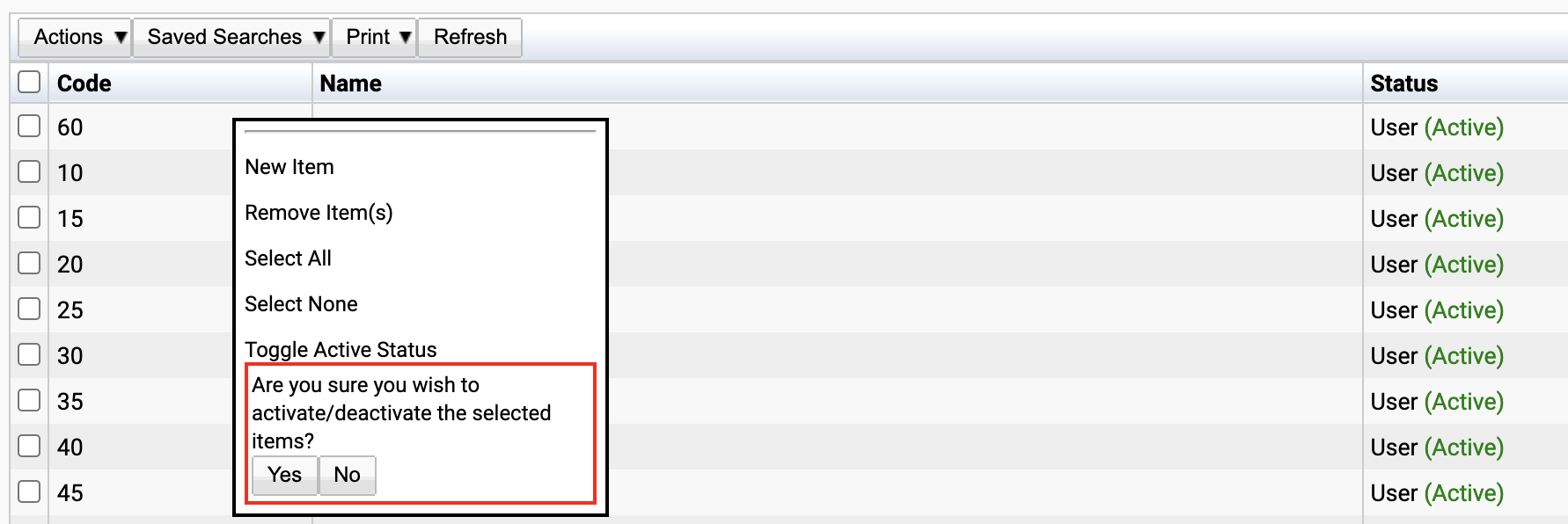
The state of the Call Duration will then be changed to either Active or Inactive.
