ACMG Mutation Category
ACMG Mutation Categories are used to record a list of categorisations for mutations. The values are used to categorise mutations and variants depending on the American College of Medical Genetics and Genomic values. Typically, this is a list of 1 to 5 each with different meanings associated with them.
Over time, a mutation with a value score of 3 could be changed to be a value of 1. This could mean that the mutation has gone from ‘we don’t know’ to ‘this is the cause’. If that is the case, it is easy in iGene to gather data on any patient who has the mutation and re-evaluate the results and perform any needed actions.
The ACMG Mutation Category is set in the summary area of each gene variant or mutation added to Preferences > Variants. The relevant category can be selected form the drop down list.
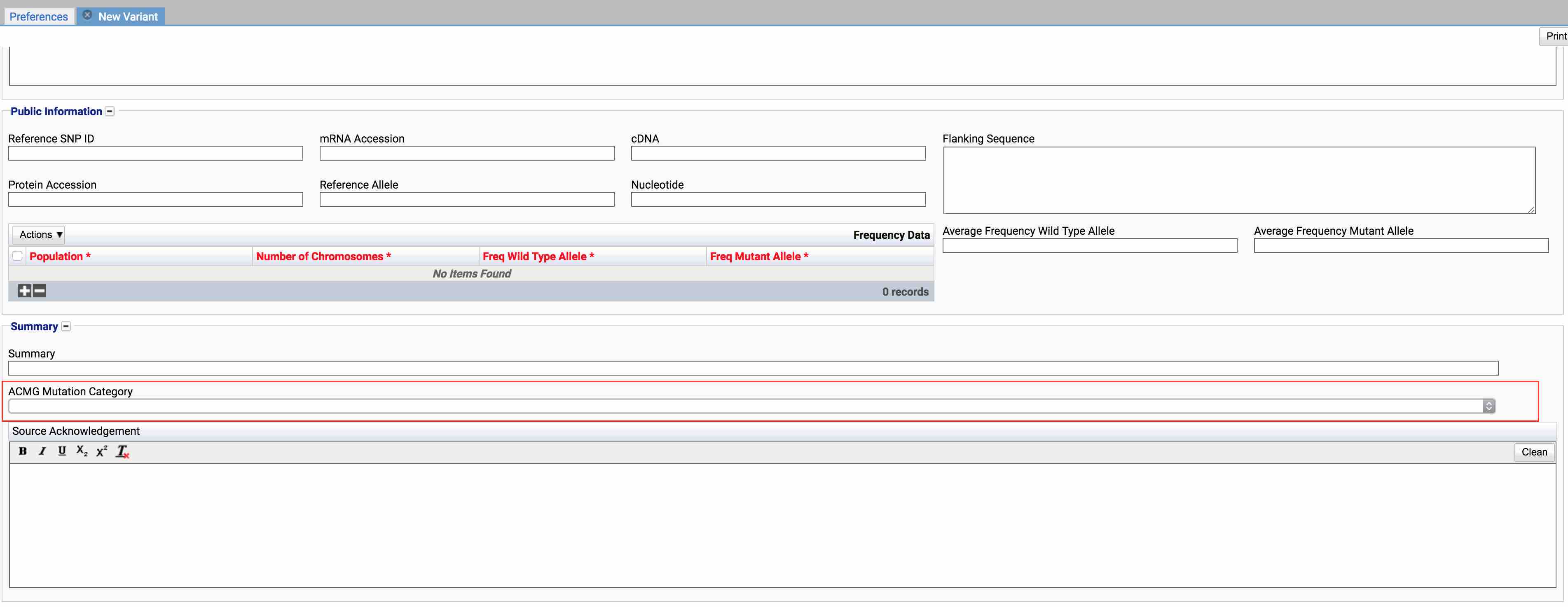
Location
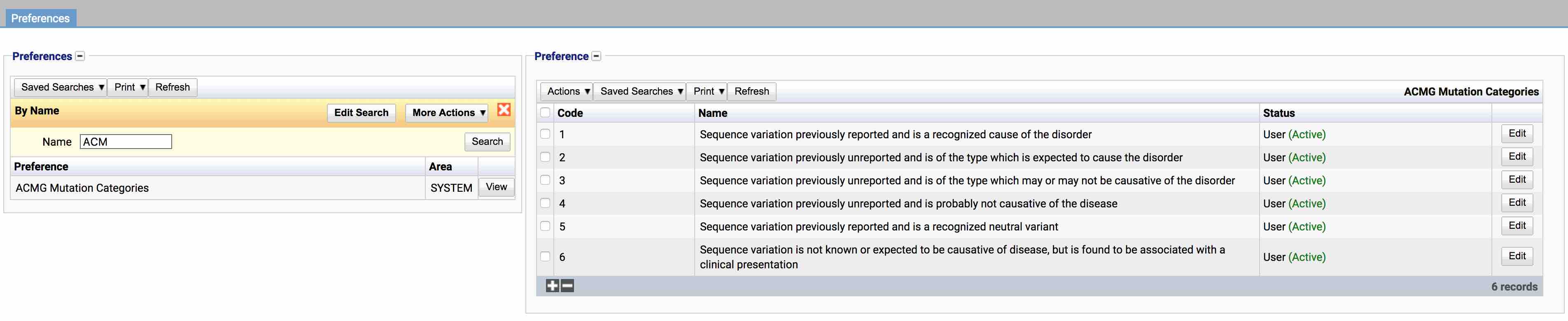
The table for the ACMG Mutation Category will display the code, name and the status.
Configuration
When adding or editing a mutation category, the below form opens to complete.
Always press Save in the bottom right hand corner of the browser after adding or editing an ACMG Mutation Category.

Code (Required, Unique)
A unique code for the ACMG Mutation Category. This can be the same as the name but must be unique throughout the entire system.
Name (Required)
A name for the preference. It is advisable to keep this unique.
Active
A checkbox to activate / deactivate an entry. If the preference is not active, it will not be selectable in any drop down lists.
Acknowledgement
A text area where details of where the mutation category has been taken from. This can be used in reports.
Usage
The ACMG Mutation Category is used for the following items: